Showing posts with label android. Show all posts
Showing posts with label android. Show all posts
Monday, April 6, 2015
10 Best Finance Apps for Android
1. Chase Mobile (Free)
Chase Mobile lets customers manage their banking 24/7 from their phones. View accurate account balances and viewing history, transfer funds between both savings and checking accounts, and make quick deposits no matter where you are. Search for the nearest Chase bank branch and ATMS. Connect with Chase representatives while on the go.
2. PayPal (Free)
Sending money is easy with PayPal Android app. It has the same basic features as other banking platforms, which include checking your balance and transferring funds. Take pictures of a check and add it to your savings or checking accounts for free. The "Local" function lets users connect with local merchants and pay them with PayPal. Financial information you add into your profile will always be safe and secure. Store owners will get paid directly and will receive a free card reader.3. Bank Of America Mobile Banking (Free)
Bank of America Bank of America will help customers with their banking needs. Users can take pictures of a check and deposit it into your designated account. Push notifications sends users Bank of America alerts on branch closing, new merger etc. Get cash back in your account when you use your debit or credit cards for various purchases. If you owe someone money, send money by using an email address or mobile number.4. Mint.Com Personal Finance (Free)
Mint.com lets users keep track of all their personal finance account in one place. Track spending, create a budget, and save more. Categorize transactions and see charts and graphs that show where you’re spending your money. If you lose your Android device, or misplace it, you can deactivate it from your profile.5. GEICO App (Free)
Geico’s app allows users to manage their insurance while on the go. Users can view coverage information, discounts, pay bills, and view claims. In addition, users can also change their payment plans quickly and efficiently. Driver and vehicle information is available with a simple tap of the screen. Benefits of the app includes notifying roadside assistance without having to make a phone call. The accident guide will provide a step-by-step guide to help users record information from an accident scene, including photos. This app is only available for policyholders.
6. Discover Mobile (Free)
Manage your Discover credit card account using Discover Android app. View your account information, manage rewards, and send money. Easily send money using Money Messenger by PayPal and set up your Cash PIN to retrieve cash from ATMs. Refer friends to Discover and earn more rewards.7. Google Finance
Finance for Android allows users to stream real-time quotes. The app synchronizes with your Google Finance portfolios, gives access to charts and view market and company news.8. Google Wallet
Google Wallet keeps all of your credit and debit cards safe and secure. Users can use any credit card from Visa, MasterCard, American Express, or Discover with the app. Make in-store purchases by tapping your phone. Payment information will be transmitted via NFC. Google Wallet has its own pin, so if you lose your phone, you can disable your mobile wallet.9. USAA Mobile
USAA Mobile USAA mobile allows users to access accounts from their mobile device. Users can pay bills, transfer funds, send money, track spending, and get quotes and market news. Members can deposit checks, report a loss, and use the loan calculator.
10. E-Trade Mobile
With E-Trade Mobile for Android, users can stream real-time quotes, and manage accounts. Monitor brokerage accounts, place trades for stocks, and create watch lists from your phone. Deposit checks, quick transfer cash, and watch live CNBC video and video on demand.

Nexus family gets Android 4 4 2 Kit Kat update by OTA
Google preferences shocks, we all realize that. Four days in the wake of discharging the Android 4.4.1, they chose to push out Android 4.4.2, which is a bugfix arrival of a bugfix discharge. It is likely to be one of the fastest OTA pushed ever by Google. They released Android 4.4.1 KitKat just 5-6 days back, they pushed Android 4.1.1 KitKat as I said above and they are pushing Android 4.4.2. Cant Google fix these bugs in a single release or they are adding some more features? Most of the bugs were fixed in 4.4.2 but why they released the update? Answer of these questions are here only.
Whats fixed and whats new
 |
| Thanks my brother for taking this picture |
Whats fixed and whats new
- Fix for clearing the VM Indicator
- Fix for delivery of the VM Indicator
- Various additional software fixes
- Security enhancements
- Faster camera
- Better performace
- SMS DoS fix
- App Ops no longer working
The best thing in the update is about camera. We know that the camera of Nexus 5 is damn slow. Nexus 4 captured the picture on click but Google Nexus 5 clicks pictures slower than Nexus 4, for this problem, Google released Android 4.4.2 KitKat OS. Another thing which is fixed is performance, as Google said in the OTA update screen.
We dont have much news about the update so I listed just two things that are really improved in the update. The update is available for Google Nexus 4, Google Nexus 5, Google Nexus 7 Wi-Fi (2012), Google Nexus 7 3G (2102), Google Nexus 7 Wi-Fi (2013), Google Nexus 7 LTE (2013), Google Nexus 10. The updates are in smaller pack, means not a full zip to install, just the fixes and all so you can download the ROMs easily and install them. Most of the 4.4.1 to 4.4.2 updates are of 1-5 MB while from Android 4.4 to 4.4.2 are from 50-70 MB! You can use OTA but here I have placed the links for manually download too. See the list of the updates beneath.
#I wont recomend you to download these updates from here. Download from OTA in the settings.
#Nexus 7 (2012 editions) never got an Android 4.4.1 update so you need to update from 4.4 to 4.4.2 only.
Updates for Nexuses
Nexus 4
 |
| Credit goes to Google Play. |
- From Android 4.4 KitKat to Androd 4.4.2 KitKat (4.4 > 4.4.2): Click HERE to download [occam KOT49H from KRT16S]
- From Android 4.4.1 KitKat to Android 4.4.1 KitKat (4.4.1 > 4.4.2): Click HERE to download [occam KOT49H from KOT49E]
Nexus 5
 |
| Credit goes to GSMArena |
- From Android 4.4 KitKat to Androd 4.4.2 KitKat (4.4 > 4.4.2): Click HERE to download [hammerhead KOT49H from KRT16M]
- From Android 4.4.1 KitKat to Android 4.4.1 KitKat (4.4.1 > 4.4.2): Click HERE to download [hammerhead KOT49H from KOT49E]
Nexus 7 (2012) Wi-Fi
 |
| Credit goes to GSMArena |
- From Android 4.4 KitKat to Androd 4.4.2 KitKat (4.4 > 4.4.2): Click HERE to download [nakasi KOT49H from KRT16S]
Nexus 7 (2012) 3G
 |
| Credits to GSMArena |
- From Android 4.4 KitKat to Androd 4.4.2 KitKat (4.4 > 4.4.2): Click HERE to download [nakasig KOT49H from KRT16S]
Nexus 7 (2013) Wi-Fi
 |
| Credits to GSMArena |
- From Android 4.4 KitKat to Androd 4.4.2 KitKat (4.4 > 4.4.2): Click HERE to download [razor KOT49H from KRT16S]
- From Android 4.4.1 KitKat to Android 4.4.1 KitKat (4.4.1 > 4.4.2): Click HERE to download [razor KOT49H from KOT49E]
Nexus 7 (2013) LTE
 |
| Credits to GSMArena |
- From Android 4.4 KitKat to Androd 4.4.2 KitKat (4.4 > 4.4.2): Click HERE to download [razorg KOT49H from KRT16S]
- From Android 4.4.1 KitKat to Android 4.4.1 KitKat (4.4.1 > 4.4.2): Click HERE to download [razorg KOT49H from KOT49E]
Nexus 10
 |
| Credits goes to GSMArena |
- From Android 4.4 KitKat to Androd 4.4.2 KitKat (4.4 > 4.4.2): Click HERE to download [mantaray KOT49H from KRT16S]
- From Android 4.4.1 KitKat to Android 4.4.1 KitKat (4.4.1 > 4.4.2): Click HERE to download [mantaray KOT49H from KOT49E]
How To update your Nexus device to Android 4.4.2 KitKat [If youre downloading from here]
- Download the updates based on your current OS
- Place them in your SD Card (Internal)
- Open the OTA from settings
- Update it
Still have some questions? Shoot a comment here.
McAfees free antivirus app for Android hits the Google Play store
A free version of McAfees Mobile Security app for Android has hit Googles Play store.

Announced at MWC 2014, the move to offer McAfee Mobile Security for free is part of an intiative by its parent company, Intel, to "integrate security more deeply into the consumer experience." The plans to offer free mobile protection were unveiled by Intel CEO Brian Krzanich at CES 2014.
McAfees Mobile Security for iOS is already available for free, but its Android that particularly needs protection from online nasties. According to a report by NQ Mobile, Android malware accounted for 95% of all smartphone infections in 2012.
McAfee Mobile Security received a 100% detection score and was given a top ranking in recent independent testing by AV-Test. It features anti-theft, anti-virus, app protection, Web protection, call and SMS filtering functionality.
A new Wi-Fi Security feature alerts users to any risky or non-protected networks to which they may be connecting.
Additionally, a CaptureCam feature will take a picture of whoever is holding the device in the event of it being stolen and will send it to the owner, and an SOS feature can log the last location of the device before battery life expires if it is misplaced or stolen.
Read more »
Announced at MWC 2014, the move to offer McAfee Mobile Security for free is part of an intiative by its parent company, Intel, to "integrate security more deeply into the consumer experience." The plans to offer free mobile protection were unveiled by Intel CEO Brian Krzanich at CES 2014.
McAfees Mobile Security for iOS is already available for free, but its Android that particularly needs protection from online nasties. According to a report by NQ Mobile, Android malware accounted for 95% of all smartphone infections in 2012.
AV-Best
McAfee Mobile Security received a 100% detection score and was given a top ranking in recent independent testing by AV-Test. It features anti-theft, anti-virus, app protection, Web protection, call and SMS filtering functionality.
A new Wi-Fi Security feature alerts users to any risky or non-protected networks to which they may be connecting.
Additionally, a CaptureCam feature will take a picture of whoever is holding the device in the event of it being stolen and will send it to the owner, and an SOS feature can log the last location of the device before battery life expires if it is misplaced or stolen.
Smartphones tips and tricks Tablets tips and tricks Smartphones reviews
Smartphones rooting Tablets reviews News from mobile world
Smartphones rooting Tablets reviews News from mobile world
How to remove Hangouts and more Android 4 4 KitKat apps
Perhaps youve treated yourself to a brand new Nexus 5, or youre eagerly awaiting the moment when the latest flavour of Android hits your handset. However you get hold of Android 4.4 KitKat, youll notice some new features to get to grips with -- if theyre not all to your taste, heres how to undo the changes Google is keen to force upon you.

Hangouts is now Googles all-encompassing messaging solution, covering Web chats, SMS and MMS. Much like iMessage, however, the experience is not quite as smooth and user-friendly as it should be. This being Android, you can set any app you like as the default SMS handler. First of all, download a new app from Google Play -- Chomp SMS and Handcent SMS are two of the most popular choices, but there are plenty to pick from.
Next, choose your default app from Settings > More > Default SMS app -- Hangouts will gracefully relinquish its text messaging duties and stick to instant messaging instead. Make sure you configure the notifications of your new app accordingly to avoid missing any important texts (or getting multiple notifications for every SMS).
KitKat brazenly installs Google Now as the default left-hand home screen (making it one swipe away from your main home screen). There are two ways to get rid of it: one is to switch off Google Now entirely. Tap the menu button (three vertical dots) underneath all of your cards, choose Settings and then turn off Google Now. This means you wont be able to access Google Now from anywhere -- itll be gone completely from your phone or tablet unless you enable it again at a later date.
The other option is to install an alternative launcher. In the same way Android lets you install alternatives for texting, browsing, playing music and doing anything else, you can choose a different app to handle home screen and app-launching tasks. Most of these launchers are free and simple to use, and you can easily uninstall them again if you change your mind: Nova, Apexand Themer are among the most popular options, while KitKat Launchermimics the KitKat look without the Google Now panel. All of these apps have prominent options to enable you to set them as the default launcher on your device. If you install multiple launchers, Android adds a new Home option to the Settings app to help you manage them more easily.
When someone calls you who isnt in your contacts list, KitKat tries to work out who it is, primarily by scanning phone numbers for nearby places on Google Maps. Starting from next year, it will be able to identify individuals too, if those people have agreed to let Google associate their mobile number with their Google+ page and identity.
If you dont want Google to try and identify whos ringing you, open the Settings page from the Dialer app, tap Caller ID by Google and switch it off. The setting to stop people finding you through your mobile number is on the Web: log into your Google Account page, click the View option by the Phone numbers heading, and untick the option to help people find you.
For variety, heres how to bring back a feature that KitKat disables rather than the other way around. The lock screen widgets popular with many users are switched off by default in Android 4.4, which means you cant immediately add handy widgets for tasks, emails and such-like to the lock screen (though the swipe-right camera shortcut is still in place).
Bringing them back isnt difficult. Choose Settings > Security and then tick Enable widgets -- this refers to the lock screen widgets rather than the standard widgets you add to your home screens. With the feature enabled again, you can swipe in from the left edge of the lock screen to add the widgets of your choice.
At the moment, shouting "OK, Google" to launch the search function on your KitKat device only works if you have your language set to US English. Presumably it will eventually roll out to UK English in due course.
If you dont want to have the feature available (it can use up battery life for one thing, and be hijacked by a passer-by for another) head to your Google Now Settings page. Untick the Hotword detection option and your handset is then immune from an "OK, Google" call to action.
Read more »
1. Replace Hangouts as the default SMS app
Hangouts is now Googles all-encompassing messaging solution, covering Web chats, SMS and MMS. Much like iMessage, however, the experience is not quite as smooth and user-friendly as it should be. This being Android, you can set any app you like as the default SMS handler. First of all, download a new app from Google Play -- Chomp SMS and Handcent SMS are two of the most popular choices, but there are plenty to pick from.
Next, choose your default app from Settings > More > Default SMS app -- Hangouts will gracefully relinquish its text messaging duties and stick to instant messaging instead. Make sure you configure the notifications of your new app accordingly to avoid missing any important texts (or getting multiple notifications for every SMS).
2. Reclaim your home screens
KitKat brazenly installs Google Now as the default left-hand home screen (making it one swipe away from your main home screen). There are two ways to get rid of it: one is to switch off Google Now entirely. Tap the menu button (three vertical dots) underneath all of your cards, choose Settings and then turn off Google Now. This means you wont be able to access Google Now from anywhere -- itll be gone completely from your phone or tablet unless you enable it again at a later date.
The other option is to install an alternative launcher. In the same way Android lets you install alternatives for texting, browsing, playing music and doing anything else, you can choose a different app to handle home screen and app-launching tasks. Most of these launchers are free and simple to use, and you can easily uninstall them again if you change your mind: Nova, Apexand Themer are among the most popular options, while KitKat Launchermimics the KitKat look without the Google Now panel. All of these apps have prominent options to enable you to set them as the default launcher on your device. If you install multiple launchers, Android adds a new Home option to the Settings app to help you manage them more easily.
3. Turn off Caller ID
When someone calls you who isnt in your contacts list, KitKat tries to work out who it is, primarily by scanning phone numbers for nearby places on Google Maps. Starting from next year, it will be able to identify individuals too, if those people have agreed to let Google associate their mobile number with their Google+ page and identity.
If you dont want Google to try and identify whos ringing you, open the Settings page from the Dialer app, tap Caller ID by Google and switch it off. The setting to stop people finding you through your mobile number is on the Web: log into your Google Account page, click the View option by the Phone numbers heading, and untick the option to help people find you.
4. Enable lock screen widgets
For variety, heres how to bring back a feature that KitKat disables rather than the other way around. The lock screen widgets popular with many users are switched off by default in Android 4.4, which means you cant immediately add handy widgets for tasks, emails and such-like to the lock screen (though the swipe-right camera shortcut is still in place).
Bringing them back isnt difficult. Choose Settings > Security and then tick Enable widgets -- this refers to the lock screen widgets rather than the standard widgets you add to your home screens. With the feature enabled again, you can swipe in from the left edge of the lock screen to add the widgets of your choice.
5. Not okay, Google
At the moment, shouting "OK, Google" to launch the search function on your KitKat device only works if you have your language set to US English. Presumably it will eventually roll out to UK English in due course.
If you dont want to have the feature available (it can use up battery life for one thing, and be hijacked by a passer-by for another) head to your Google Now Settings page. Untick the Hotword detection option and your handset is then immune from an "OK, Google" call to action.
Sunday, April 5, 2015
Google patches Master Key Android hole already on its way to Samsungs
The sky was falling last week when it emerged that there was a major security hole that could mean 900 million Android devices could be vulnerable to hack attacks - but Google has now rolled out a patch.

It was quite a dramatic state of affairs, with security firm Bluebox reckoning that 99 per cent of Android handsets were vulnerable - there was the potential for nefarious devs to modify app update code.
That would mean that users could be merrily installing what appears to be a legit app update, but is actually riddled with nasty code courtesy of nefarious developers.
However, Google has been working to close the hole since February and has now succeeded.
Exactly when youll get the update will depend on your phone make, with individual manufacturers responsible for rolling out the update.
Samsung owners are quids in though, as Google confirmed to ZDNet that "a patch has been provided to our partners" with "some OEMs, like Samsung… already shipping the fix to Android devices".
Google says that its been a bit of a storm in a teacup though, adding, "We have not seen any evidence of exploitation in Google Play or other app stores via our security scanning tools. Google Play scans for this issue - and Verify Apps provides protection for Android users who download apps to their devices outside of Play."
Read more »
It was quite a dramatic state of affairs, with security firm Bluebox reckoning that 99 per cent of Android handsets were vulnerable - there was the potential for nefarious devs to modify app update code.
That would mean that users could be merrily installing what appears to be a legit app update, but is actually riddled with nasty code courtesy of nefarious developers.
Patchwork
However, Google has been working to close the hole since February and has now succeeded.
Exactly when youll get the update will depend on your phone make, with individual manufacturers responsible for rolling out the update.
Samsung owners are quids in though, as Google confirmed to ZDNet that "a patch has been provided to our partners" with "some OEMs, like Samsung… already shipping the fix to Android devices".
Google says that its been a bit of a storm in a teacup though, adding, "We have not seen any evidence of exploitation in Google Play or other app stores via our security scanning tools. Google Play scans for this issue - and Verify Apps provides protection for Android users who download apps to their devices outside of Play."
Google Nexus 5 made official with Android 4 4 KitKat in tow
The Google Nexus 5 has been officially unveiled following months of rumours and leaks, with the flagship phone becoming the first to run the Android 4.4 KitKat operating system.

Read more »
Set to go head-to-head with the likes of the Samsung Galaxy S4 and iPhone 5S, the Google Nexus 5 will be manufactured by LG, and boast the same 2.26GHz quad-core Snapdragon 800 processor as the Korean company’s own LG G2 handset.
Google Nexus 5 Features
A worthy follow-on to last year’s Google Nexus 4, the newly confirmed Google Nexus 5 features list is brimmed with high-end components.
Lining up alongside the 2.26GHz quad-core processor, the phone will sport a 4.95-inch 1920 x 1080p Full HD, up on the 4.7-inch HD panel on its predecessor. Set to offering stunning visuals, the Full HD display is further enhanced by a 445 pixels-per-inch image density. Providing some added protection, the phone will feature a handy Corning Gorilla Glass 3 coating.
Although on paper the 8-megapixel Google Nexus 5 camera might look like a weak spot when compared with the 13-megapixel offerings on some of its rivals, the integrated snapper is set to benefit from optical image stabilisation options to boost image output. A secondary, 1.3-megapixel camera is included on the phone’s fore for shameless selfies and video calling.
Playing host to the now customary array of Wi-Fi, Bluetooth 4.0, and NFC connectivity options, the Google Nexus 5, unlike the 4 before it will also play host to 4G networking options. Powered by a 2300mAh Lithium-Polymer battery, the phone’s battery life should see you through a full day’s use although this is again down on the 3000mAh offering found on the LG G2.
Lining up at just 130g in weight and a mere 8.59mm thick, the Google Nexus 5 certainly looks the part, with the phone set to be made available in both 16GB and 32GB storage options.
With 2GB of RAM on board, the Google Nexus 5 specs sheet is rounded off by Adreno 330 graphics and the new Android 4.4 KitKat OS, a software package which will introduce cloud based backups alongside a range of other additions.
Google Nexus 5 Release Date and Price
Now that the phone is official, Google looks keen to get the Nexus 5 out to consumers. As such the Google Nexus 5 release date has been set for tomorrow, November 1, with the phone to hit the UK and US simultaneously.
In keeping with the company’s desire to offer high-end products at a reasonable cost, the Google Nexus 5 is nice and friendly on your wallet. The 16GB model will set wannabe owners back £295.
Share files between Android and Windows with ES File Explorer
There was a time when the only way you could share files between your Android device and a Windows computer was by using a USB cable. These days, there are wireless options available that make it easier to share files. One such option is ES File Explorer, a powerful Android file manager. ES File Explorer helps you manage the files on your local Android device. Starting with version 3, however, LAN support was added to make it possible to share files with a Windows PC over Wi-Fi. To share files between your Android device and a Windows PC using ES File Explorer, follow the steps below:

Step 1: Create a shared folder on your Windows PC. In our example, well name it, "Android PC share." Make sure the permissions are set for read/write access.
Step 2: In ES File Explorer on your Android device, tap the globe icon in the upper-left hand corner, then navigate to Network > LAN.

Step 3: On the menu at the bottom, tap "Search" to look for available network shares on your LAN. If you dont see any, make sure that your Android device and the Windows computer are connected to the same local network and try again. If successful, you should see your Windows computer listed with its IP address.

Step 4: Tap on the icon for your Windows PC, then enter your Windows username and password.

Step 5: After your shared folder appears, you can begin sharing files back and forth using ES File Explorer.

ES File Explorer isnt the only way to share files over Wi-Fi, but its a popular utility that youre likely to have on your Android device anyway, so youd might as well give it a try.
Read more »
Step 1: Create a shared folder on your Windows PC. In our example, well name it, "Android PC share." Make sure the permissions are set for read/write access.
Step 2: In ES File Explorer on your Android device, tap the globe icon in the upper-left hand corner, then navigate to Network > LAN.
Step 3: On the menu at the bottom, tap "Search" to look for available network shares on your LAN. If you dont see any, make sure that your Android device and the Windows computer are connected to the same local network and try again. If successful, you should see your Windows computer listed with its IP address.
Step 4: Tap on the icon for your Windows PC, then enter your Windows username and password.
Step 5: After your shared folder appears, you can begin sharing files back and forth using ES File Explorer.
ES File Explorer isnt the only way to share files over Wi-Fi, but its a popular utility that youre likely to have on your Android device anyway, so youd might as well give it a try.
Apk Handy Photo Android v2 0 2 Download Files

Features:
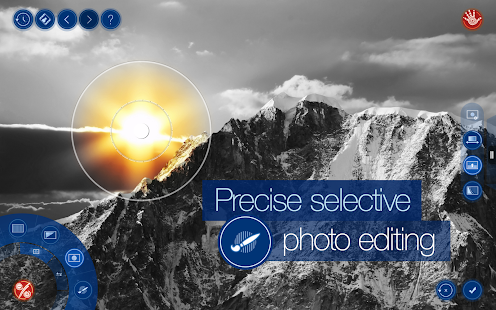
Global and local tone and color correction options.
Partial application option in Filters tool.
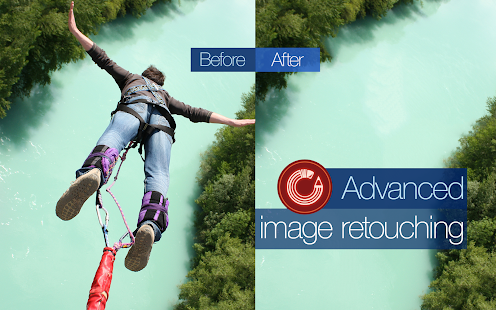
Advanced retouching technology for mobile platforms.
Move Me technology for smart objects extraction and moving.
Magic Crop tool with unique photo “un-cropping” function.
High-quality textures and frames.
100% size image editing.
Up to 36 MP image support.
RAW format support.
Optimized for multi-core and GPU processors.
Stylish and intuitive UI.
Whats New:
v2.0.2 update:
Completely redesigned UI
Added ability to selectively adjust tone and color.
Added ability to partially apply filters and textures.
Added new textures category: Abstract.
Added new frames categories: Autumn Leaves, Glass, Grunge, etc.
Added ability to move/scale textures.
Added on-screen instructions.
Added scratches to Old Photo, Sepia, and Vintage filters.
Added Handy Picker.
Added Reset button.
Improved UI usability.
Added support for Intel Android x86 platform.
Google Play
Download v2.0.1 APK FILE: HERE or HERE
Download v2.0.2 APK FILE: HERE or HERE
Tags: Handy Photo apk, Handy Photo apk download, Handy Photo for android, Handy Photo v2.0.2 full version
Global and local tone and color correction options.
Partial application option in Filters tool.
Advanced retouching technology for mobile platforms.
Move Me technology for smart objects extraction and moving.
Magic Crop tool with unique photo “un-cropping” function.
High-quality textures and frames.
100% size image editing.
Up to 36 MP image support.
RAW format support.
Optimized for multi-core and GPU processors.
Stylish and intuitive UI.
Whats New:
v2.0.2 update:
Completely redesigned UI
Added ability to selectively adjust tone and color.
Added ability to partially apply filters and textures.
Added new textures category: Abstract.
Added new frames categories: Autumn Leaves, Glass, Grunge, etc.
Added ability to move/scale textures.
Added on-screen instructions.
Added scratches to Old Photo, Sepia, and Vintage filters.
Added Handy Picker.
Added Reset button.
Improved UI usability.
Added support for Intel Android x86 platform.
Google Play
Download v2.0.1 APK FILE: HERE or HERE
Download v2.0.2 APK FILE: HERE or HERE
Tags: Handy Photo apk, Handy Photo apk download, Handy Photo for android, Handy Photo v2.0.2 full version
Handy Photo was designed for those with a strong passion for photo editing. The app is a perfect choice when it comes to correcting and enhancing photos from all possible angles.
Handy Photo Apk v2.0.2 Paid Version
Size: 44 Mb | Android: 2.3 and up
Flow Free Bridges Android Game Review
With the puzzle games market seemingly filled to the brim with cartoon animals, improbable projectiles, dodgy physics engines and revamps of classics, you may find yourselves wanting a slightly calmer, simpler choice.

If so, you’ll be happy to know that the premise of Flow Free couldn’t get much simpler. Fill your grid by joining together dots of the same colour using a single path. Overlapping paths will cause them to break unless you carefully utilize the bridge in the position given to you.
The two modes provided are Free Play and Time Trial, both self-explanatory. In all likelihood, you will probably spend more time using the latter, seeing that Free Play gets rather homogeneous quickly once you get the hang of doing levels.
I get the impression that much effort has been put into tweaking the little things to improve the overall product. The graphic design is crisp and attractive, avoiding any unnecessary frills which would distract from the gameplay, which is itself as smooth and as slick as you’d like it to be. No buzzing, no annoying vibrations when you draw a path, no aliens or kung-fu masters which pop-up to congratulate you upon completing a level. Minimalist, efficient and effective.
The speed of the game varies with the grid size, with 5×5 to 7×7 ones offering a quickfire approach while larger grids require a good deal of forethought before execution, a more old-fashioned type of puzzle solving perhaps. Of course, whichever style you find more appealing is purely down to you, and this is credit to the subtle variety of the game.
I’ve always thought that the sign of a good puzzle game is that nothing feels wasted. The level design is intricate yet concise and clean, and completing it feels satisfying because of that. Like all puzzle games of course, the idea either clicks with you or it doesn’t, but with Flow Free having such a simple and accessible concept, I see no reason not to install it and give it a quick try.
Rating: 4/5
Read more »
If so, you’ll be happy to know that the premise of Flow Free couldn’t get much simpler. Fill your grid by joining together dots of the same colour using a single path. Overlapping paths will cause them to break unless you carefully utilize the bridge in the position given to you.
The two modes provided are Free Play and Time Trial, both self-explanatory. In all likelihood, you will probably spend more time using the latter, seeing that Free Play gets rather homogeneous quickly once you get the hang of doing levels.
I get the impression that much effort has been put into tweaking the little things to improve the overall product. The graphic design is crisp and attractive, avoiding any unnecessary frills which would distract from the gameplay, which is itself as smooth and as slick as you’d like it to be. No buzzing, no annoying vibrations when you draw a path, no aliens or kung-fu masters which pop-up to congratulate you upon completing a level. Minimalist, efficient and effective.
The speed of the game varies with the grid size, with 5×5 to 7×7 ones offering a quickfire approach while larger grids require a good deal of forethought before execution, a more old-fashioned type of puzzle solving perhaps. Of course, whichever style you find more appealing is purely down to you, and this is credit to the subtle variety of the game.
I’ve always thought that the sign of a good puzzle game is that nothing feels wasted. The level design is intricate yet concise and clean, and completing it feels satisfying because of that. Like all puzzle games of course, the idea either clicks with you or it doesn’t, but with Flow Free having such a simple and accessible concept, I see no reason not to install it and give it a quick try.
Rating: 4/5
Smartphones tips and tricks Tablets tips and tricks Smartphones reviews
Smartphones rooting Tablets reviews News from mobile world
Smartphones rooting Tablets reviews News from mobile world
Saturday, April 4, 2015
Neon Motocross Android Game Review
Tilt, tap and flip your way past bumps, ramps and loops, to cross the finish line as quick as you can in one piece.

For the most part, the physics engine is solid, apart from how your bike is seemingly made from springs, spraying all parts plus driver miles around when you get hit. The rather understated cry of “Ugh” from the poor guy adds further to the bizarreness.
At its best, the game can be addictive and thrilling (or at least as thrilling as you could realistically expect a portable device game to be), requiring careful timing, as well as some occasional patience. It would have been a nice touch to include a Make Your Own Level mode, which would of course have improved the longevity of the game by a huge amount, though the replay value as it stands is still reasonable, with that familiar 3-star system rewarding you for finishing quickly, encouraging shrewd use of nitro and taking advantage of shortcuts. That, on top of the 180 levels and numerous achievements, would keep you for a while.

However, and this is something that is immediately apparent, the game suffers greatly from that dreaded full-screen ad disease, the fatal strain that flares up often and without warning, leading to a frequent opening and closing of web windows that becomes so very infuriating. I can never understand why developers would sabotage their own hard work with something that is an instant write-off for many, and which leaves a badly damaged product for the rest. Clearly, it’s difficult to get addicted to and fully enjoy a game that gets so frequently and obnoxiously interrupted and it goes a long way to highlight flaws that users may otherwise forgive or overlook.

Some of these include the inconvenient position of the controls, with “accelerate” being placed in the top right hand area, often blocking what’s coming on a smaller screen. This cannot be modified. The stylish, neon-lit menu screens are a poor indication of what visuals you get when you start playing, consisting purely of an outer-space-y background and simple white lines as the tracks. Take the background away and it would look disparagingly similar to Line-Rider. Now, anyone who has played Line-Rider will appreciate that it is trickier than it looks to create a single good track, let alone 180 of them. However, some of these levels are nothing more than just some squiggles and haphazardly placed geometric shapes, summed up by one level which looks like the heart-rate monitor display of an erratic and probably critically ill patient. Perhaps he played too much Neon Motocross.
Of course, there are a couple of decent levels, but too few and far between. If the developers emphasize quality over quantity for future levels, it would do the product a world of good. If you can stomach the ads or bear turning your connection off, Neon Motocross is worth a look.
Rating: 3.5/5 without ads, 2/5 with
Read more »
For the most part, the physics engine is solid, apart from how your bike is seemingly made from springs, spraying all parts plus driver miles around when you get hit. The rather understated cry of “Ugh” from the poor guy adds further to the bizarreness.
At its best, the game can be addictive and thrilling (or at least as thrilling as you could realistically expect a portable device game to be), requiring careful timing, as well as some occasional patience. It would have been a nice touch to include a Make Your Own Level mode, which would of course have improved the longevity of the game by a huge amount, though the replay value as it stands is still reasonable, with that familiar 3-star system rewarding you for finishing quickly, encouraging shrewd use of nitro and taking advantage of shortcuts. That, on top of the 180 levels and numerous achievements, would keep you for a while.
However, and this is something that is immediately apparent, the game suffers greatly from that dreaded full-screen ad disease, the fatal strain that flares up often and without warning, leading to a frequent opening and closing of web windows that becomes so very infuriating. I can never understand why developers would sabotage their own hard work with something that is an instant write-off for many, and which leaves a badly damaged product for the rest. Clearly, it’s difficult to get addicted to and fully enjoy a game that gets so frequently and obnoxiously interrupted and it goes a long way to highlight flaws that users may otherwise forgive or overlook.
Some of these include the inconvenient position of the controls, with “accelerate” being placed in the top right hand area, often blocking what’s coming on a smaller screen. This cannot be modified. The stylish, neon-lit menu screens are a poor indication of what visuals you get when you start playing, consisting purely of an outer-space-y background and simple white lines as the tracks. Take the background away and it would look disparagingly similar to Line-Rider. Now, anyone who has played Line-Rider will appreciate that it is trickier than it looks to create a single good track, let alone 180 of them. However, some of these levels are nothing more than just some squiggles and haphazardly placed geometric shapes, summed up by one level which looks like the heart-rate monitor display of an erratic and probably critically ill patient. Perhaps he played too much Neon Motocross.
Of course, there are a couple of decent levels, but too few and far between. If the developers emphasize quality over quantity for future levels, it would do the product a world of good. If you can stomach the ads or bear turning your connection off, Neon Motocross is worth a look.
Rating: 3.5/5 without ads, 2/5 with
Smartphones tips and tricks Tablets tips and tricks Smartphones reviews
Smartphones rooting Tablets reviews News from mobile world
Smartphones rooting Tablets reviews News from mobile world
No let up in Android and iOS duopoly the rest still fighting for scraps
The vice-like grip of the iOS and Android operating systems is only getting tighter, according to new sales figures published late last week.

New data from Comscore, released on Friday, showed Android leading the way at the end of May 2013 with 52.4 per cent of all US sales, up from 51.7 per cent at the end of February.
iOS share of the US market rose 0.3 per cent to 39.2 percent during same time period.
Despite the launch of BlackBerrys new BB10 operating system and the best selection of Windows Phone 8 devices yet, both of those platforms saw their share fall to 4.8 and 3.0 per cent respectively.
It was a similar story for hardware sales. Apples iPhone led the way with the 32.9 per cent, closely followed by Samsung which enjoyed a sizeable 1.7 per cent jump to 23 per cent of sales.
The next three, HTC, Motorola and LG all endured a fall in sales during the three month period, all of which remain under 10 per cent.
Samsungs continued rise will have been fuelled by the launch of its new flagship Galaxy S4 handset but, worryingly for HTC, its critically acclaimed HTC One release couldnt stem the the drop-off in its share.
There is, of course, hope for those competing operating systems and manufacturers, but until the numbers start going in the other direction, its difficult to be too positive. They have to start gaining at some point, right?
Read more »
New data from Comscore, released on Friday, showed Android leading the way at the end of May 2013 with 52.4 per cent of all US sales, up from 51.7 per cent at the end of February.
iOS share of the US market rose 0.3 per cent to 39.2 percent during same time period.
Despite the launch of BlackBerrys new BB10 operating system and the best selection of Windows Phone 8 devices yet, both of those platforms saw their share fall to 4.8 and 3.0 per cent respectively.
Numbers dont lie
It was a similar story for hardware sales. Apples iPhone led the way with the 32.9 per cent, closely followed by Samsung which enjoyed a sizeable 1.7 per cent jump to 23 per cent of sales.
The next three, HTC, Motorola and LG all endured a fall in sales during the three month period, all of which remain under 10 per cent.
Samsungs continued rise will have been fuelled by the launch of its new flagship Galaxy S4 handset but, worryingly for HTC, its critically acclaimed HTC One release couldnt stem the the drop-off in its share.
There is, of course, hope for those competing operating systems and manufacturers, but until the numbers start going in the other direction, its difficult to be too positive. They have to start gaining at some point, right?
Dotbuster Android Game Review
The simple things in life are the most enjoyable, and especially the ones which remind you of your childhood. Do you remember when you were young and you had to connect the dots to create the pictures? Dotbuster has that initial vibe about it… except that its amped up on steroids.

Small green circles appear on the screen and a simple swipe of the finger will connect the points together. Once you connect all the way back to the starting point then your polygon will be complete and the circles will disappear. Its very intuitive and actually if there’s nothing else on the screen then you’re naturally going to press on the green dots like childsplay. Quite literally there doesn’t appear to be much else that appears on the screen because of the minimalist stylisation.
You may find on initial gameplays that you’re tempted to connect to all the points that appear on the screen in order, much like a whack-a-mole type game (except its connect-a-snake instead). But actually this isn’t allowed because as soon as you cross your own path then you’ll cancel the polygon you were drawing and you’ll have to start again. If instead you leave the dots, then you may find yourself asking which dots to connect first – there’s no numbers like those old skool connect the dot travel companions. But after you retrain your thoughts then you’re ready to rock and roll with the other specialities in the game.

Leaving the dots is a no-no because they’ll swell up and turn amber in preparation to explode and drain your energy. This life gauge is the competition element which prevents you from continuing forever. But don’t worry there are boosters which appear as vibrant pink dots with hearts in them. If you encircle these within your shapes then you’ll collect them. Unfortunately if the red skulls viruses are encapsulated too then you’ll find yourself poisoning yourself.

Death is inevitable with these survival games and as you progress then you’ll find that more red dots appear and your greens turn amber much faster. No sooner than you started then you’ll find yourself weighing up whether you’ll lose more from letting the dots pop, or if enveloping the skulls would reduce your energy less.
Luckily there are some cogs which will clear the screen so you’re reset back to zero. Otherwise if you’ve collected enough stars then you can trigger a big bang which will obliterate everything on the screen.
I have to be honest, first impressions of this game can easily lose people’s attention. Perhaps the biggest question that pops up is… why play this? It took me a long time to figure out why there was this niggling feeling in the back of my mind. But I realised that my problem was that this had deep connotations with my childhood of scribbling on random bits of paper. Indeed that’s a waste of time, but as long as I gave this game a chance then I realised that this game could be a winner. At the moment it’s a bit unforgiving for the newbies, but if players stick it out and start feeling that competition spirit then they’ll enjoy playing the game more.
The verdict is that this is a coarse jewel waiting to be polished so that the facets are cleaner and shinier. With a little bit more pattern play and slightly less randomness I’m sure people will start craving for more Dotbuster. Don’t let the Google+ logins and In app purchasing put you off – the game can be fun but it just needs some decent sessions where you give it a chance.
Rating: 3.5 /5
Read more »
Small green circles appear on the screen and a simple swipe of the finger will connect the points together. Once you connect all the way back to the starting point then your polygon will be complete and the circles will disappear. Its very intuitive and actually if there’s nothing else on the screen then you’re naturally going to press on the green dots like childsplay. Quite literally there doesn’t appear to be much else that appears on the screen because of the minimalist stylisation.
You may find on initial gameplays that you’re tempted to connect to all the points that appear on the screen in order, much like a whack-a-mole type game (except its connect-a-snake instead). But actually this isn’t allowed because as soon as you cross your own path then you’ll cancel the polygon you were drawing and you’ll have to start again. If instead you leave the dots, then you may find yourself asking which dots to connect first – there’s no numbers like those old skool connect the dot travel companions. But after you retrain your thoughts then you’re ready to rock and roll with the other specialities in the game.
Leaving the dots is a no-no because they’ll swell up and turn amber in preparation to explode and drain your energy. This life gauge is the competition element which prevents you from continuing forever. But don’t worry there are boosters which appear as vibrant pink dots with hearts in them. If you encircle these within your shapes then you’ll collect them. Unfortunately if the red skulls viruses are encapsulated too then you’ll find yourself poisoning yourself.
Death is inevitable with these survival games and as you progress then you’ll find that more red dots appear and your greens turn amber much faster. No sooner than you started then you’ll find yourself weighing up whether you’ll lose more from letting the dots pop, or if enveloping the skulls would reduce your energy less.
Luckily there are some cogs which will clear the screen so you’re reset back to zero. Otherwise if you’ve collected enough stars then you can trigger a big bang which will obliterate everything on the screen.
I have to be honest, first impressions of this game can easily lose people’s attention. Perhaps the biggest question that pops up is… why play this? It took me a long time to figure out why there was this niggling feeling in the back of my mind. But I realised that my problem was that this had deep connotations with my childhood of scribbling on random bits of paper. Indeed that’s a waste of time, but as long as I gave this game a chance then I realised that this game could be a winner. At the moment it’s a bit unforgiving for the newbies, but if players stick it out and start feeling that competition spirit then they’ll enjoy playing the game more.
The verdict is that this is a coarse jewel waiting to be polished so that the facets are cleaner and shinier. With a little bit more pattern play and slightly less randomness I’m sure people will start craving for more Dotbuster. Don’t let the Google+ logins and In app purchasing put you off – the game can be fun but it just needs some decent sessions where you give it a chance.
Rating: 3.5 /5
Smartphones tips and tricks Tablets tips and tricks Smartphones reviews
Smartphones rooting Tablets reviews News from mobile world
Smartphones rooting Tablets reviews News from mobile world
Friday, April 3, 2015
Windows Phone 8 will soon run on existing Android hardware
The Windows Phone operating system will soon be capable of being run on existing Android hardware, Microsoft has confirmed.

Teasing upcoming Windows Phone 8.1 features during MWC 2014, Microsoft has revealed that the forthcoming platform update will see system requirements for the Windows Phone OS changed. As such, manufacturers will be able to port the Windows Phone OS to existing Android hardware.
With Microsoft having recently offered Windows Phone 8.1 update hints, Greg Sullivan, Microsoft’s Director of Windows Phone has discussed in further detail with TrustedReviews the effects this will have on the platform, not just for consumers but manufacturers too.
Detailing some of the upcoming improvements, he revealed that the Windows Phone 8.1 update, which is still to be officially named, will see “support for Qualcomm Snapdragon 200 and 400 chipsets” added.
On top of this, the reworked OS will allow “support for soft keys so that you don’t have to have physical hardware buttons.”
Looking to the larger benefits of these seemingly small changes, Sullivan stated: “One of the important things there is that an OEM can now take a device – an existing device that they are shipping with Android on it today – and install Windows Phone on it.”
He added: “They can leverage and get scale with their investments, they don’t have to go and build a separate thing that costs more, it’s going to eliminate a lot of barriers and make it more efficient and economically feasible for more OEMs to get into that business.”
The Director of Windows Phone went on to tell us: “There is a change in how we are engaging our OEM partners.
“With Windows Phone 8, we shrunk the number of OEMs we worked with relative to Windows 7.5. That was intentional as we knew we were going to the new Kernal underneath and we wanted to focus our engineering resources on fewer OEMs to make sure that we got it right.
“Now we can turn our attention to growing the ecosystem, growing the install base, and having a wider range of support for new devices.”
Despite claiming big things are in store for the future of Windows Phone, the third OS as it has widely become known, was scarcely represented at Mobile World Congress this week.
With a mass of Android handsets and a fleet of Firefox OS devices unveiled, Microsoft’s mobile OS was completely overlooked by leading manufacturers.
Read more »
Teasing upcoming Windows Phone 8.1 features during MWC 2014, Microsoft has revealed that the forthcoming platform update will see system requirements for the Windows Phone OS changed. As such, manufacturers will be able to port the Windows Phone OS to existing Android hardware.
With Microsoft having recently offered Windows Phone 8.1 update hints, Greg Sullivan, Microsoft’s Director of Windows Phone has discussed in further detail with TrustedReviews the effects this will have on the platform, not just for consumers but manufacturers too.
Detailing some of the upcoming improvements, he revealed that the Windows Phone 8.1 update, which is still to be officially named, will see “support for Qualcomm Snapdragon 200 and 400 chipsets” added.
On top of this, the reworked OS will allow “support for soft keys so that you don’t have to have physical hardware buttons.”
Looking to the larger benefits of these seemingly small changes, Sullivan stated: “One of the important things there is that an OEM can now take a device – an existing device that they are shipping with Android on it today – and install Windows Phone on it.”
He added: “They can leverage and get scale with their investments, they don’t have to go and build a separate thing that costs more, it’s going to eliminate a lot of barriers and make it more efficient and economically feasible for more OEMs to get into that business.”
The Director of Windows Phone went on to tell us: “There is a change in how we are engaging our OEM partners.
“With Windows Phone 8, we shrunk the number of OEMs we worked with relative to Windows 7.5. That was intentional as we knew we were going to the new Kernal underneath and we wanted to focus our engineering resources on fewer OEMs to make sure that we got it right.
“Now we can turn our attention to growing the ecosystem, growing the install base, and having a wider range of support for new devices.”
Despite claiming big things are in store for the future of Windows Phone, the third OS as it has widely become known, was scarcely represented at Mobile World Congress this week.
With a mass of Android handsets and a fleet of Firefox OS devices unveiled, Microsoft’s mobile OS was completely overlooked by leading manufacturers.
Smartphones tips and tricks Tablets tips and tricks Smartphones reviews
Smartphones rooting Tablets reviews News from mobile world
Smartphones rooting Tablets reviews News from mobile world
Octa UI GO Apex Nova Theme Android v1 5 1 Paid Apk
.png "Octa UI (GO Apex Nova Theme) APK v1.5.1 Download")
Octa UI (GO Apex Nova Theme) APK v1.5.1 Download
Octa UI is an icon pack theme for launchers such as GO, Nova, Apex, Action, Smart, and many more. The theme transforms your icons into some sleek, flat, and octagon-shaped icons. The colour palette, which was used to create the icons, features only 8 colors, this makes the icons tie to each other and gives them a unified look - and Icons should have a unified look! As usual with icon packs, you must have one of the launchers below installed in order to apply the theme.
More info and Screenshots from Google Play
DOWNLOAD from UploadRocket

DOWNLOAD from Zippyshare
Tags: Octa UI (GO Apex Nova Theme) apk, Octa UI (GO Apex Nova Theme) android apk, Octa UI (GO Apex Nova Theme) apk full version, Octa UI (GO Apex Nova Theme) apk paid version, Octa UI (GO Apex Nova Theme) apk free download
Tags: Octa UI (GO Apex Nova Theme) apk, Octa UI (GO Apex Nova Theme) android apk, Octa UI (GO Apex Nova Theme) apk full version, Octa UI (GO Apex Nova Theme) apk paid version, Octa UI (GO Apex Nova Theme) apk free download
Roll Mania � puzzle platformer Android Game Review
As a fan of round objects this game definitely gave me a positive impression and only until I play this game did I find that it’s full of it! With wheels and barrels to watermelons and eggs! (Eggs are oval, but they’re still considered round right?)

This is a physic engine based game where you as the player will control a selection of round object to accelerate left or right in a 2D platform map to reach to the designated exit whilst going through challenging obstacles. The score on completing the level is represented by 3 stars you get each for completing each specific criteria of that level.
Your selection of round objects is your primary and only variable at your disposal. Knowing the different properties or each is the key to finding your way around the 2D platform map; which I personally really loved. Furthermore when they introduced edible items such as Watermelons and eggplants I absolutely adored the fact that they will break on impact giving the game that extra bit of realism.

You get a selection of 3 different types of round objects for you to use, and within the time limit you must reach the green exit, changing between different round objects happens instantly with a puff of smoke (reminded me of ninjas transforming into a log.) and during this transaction you lose the properties of the previous object in return for the properties of the new object. One of the tricks is when you try to land on small platforms where you accelerate fast with a wheel then switch to a beach ball where there is more air resistant due to a larger surface area that makes it easier to control during a leap.
It is one of those light weight puzzle games that brings a satisfactory grin to your face once you complete one of the 45 levels of the game, and there is certainly more to come! For a free game not only do you play with virtual food you also fiddle with the properties of different objects including a wheel, barrel, bowling ball, beach ball, bouncy ball and possibly plenty more to come and it’s not fraustrating when you don’t complete a level since the level simply restarts instantly the moment you are no longer able to continue, no constant pressing of replay button every time you die which I prefer. With clean simple graphics and being well polished I can’t flaw this game, but it isn’t the best one I’ve experienced in the category of physic engine puzzles so I’ll deduct a single point.
If you commute by a bus then rolling objects in a game might make your morning a little more enjoyable. So try it!
Read more »
The Main Concept
This is a physic engine based game where you as the player will control a selection of round object to accelerate left or right in a 2D platform map to reach to the designated exit whilst going through challenging obstacles. The score on completing the level is represented by 3 stars you get each for completing each specific criteria of that level.
Your selection of round objects is your primary and only variable at your disposal. Knowing the different properties or each is the key to finding your way around the 2D platform map; which I personally really loved. Furthermore when they introduced edible items such as Watermelons and eggplants I absolutely adored the fact that they will break on impact giving the game that extra bit of realism.
You get a selection of 3 different types of round objects for you to use, and within the time limit you must reach the green exit, changing between different round objects happens instantly with a puff of smoke (reminded me of ninjas transforming into a log.) and during this transaction you lose the properties of the previous object in return for the properties of the new object. One of the tricks is when you try to land on small platforms where you accelerate fast with a wheel then switch to a beach ball where there is more air resistant due to a larger surface area that makes it easier to control during a leap.
4/5 Rating: It’s satisfying
It is one of those light weight puzzle games that brings a satisfactory grin to your face once you complete one of the 45 levels of the game, and there is certainly more to come! For a free game not only do you play with virtual food you also fiddle with the properties of different objects including a wheel, barrel, bowling ball, beach ball, bouncy ball and possibly plenty more to come and it’s not fraustrating when you don’t complete a level since the level simply restarts instantly the moment you are no longer able to continue, no constant pressing of replay button every time you die which I prefer. With clean simple graphics and being well polished I can’t flaw this game, but it isn’t the best one I’ve experienced in the category of physic engine puzzles so I’ll deduct a single point.
If you commute by a bus then rolling objects in a game might make your morning a little more enjoyable. So try it!
Smartphones tips and tricks Tablets tips and tricks Smartphones reviews
Smartphones rooting Tablets reviews News from mobile world
Smartphones rooting Tablets reviews News from mobile world
Google working on Android KitKat fix for camera app battery drain
If youve recently updated your smartphone to Android 4.4.2 KitKat and have noticed some abnormally high battery drain youre not alone - but Google is on the case.

Apparently some Android handsets are seeing battery life diminish at a rate of knots after opening the camera application as a result of the phones CPU maxing out.
While Googles fix will be able to alleviate the problem on the likes of the Nexus 5 and Nexus 4, those rocking a HTC, Samsung or any other Android device with a UI skin will have to wait for the relevant manufacturer to address the issue separately.
Theres currently no time frame on Googles fix to roll out to handsets, but its expected to arrive as part of the Android 4.4.3 package - so keep your eyes peeled.
In the meantime a quick reboot of your device is said to provide a temporary solution to the excessive battery drain, but it wont fix the problem.
Read more »
Apparently some Android handsets are seeing battery life diminish at a rate of knots after opening the camera application as a result of the phones CPU maxing out.
While Googles fix will be able to alleviate the problem on the likes of the Nexus 5 and Nexus 4, those rocking a HTC, Samsung or any other Android device with a UI skin will have to wait for the relevant manufacturer to address the issue separately.
Reboot, for now
Theres currently no time frame on Googles fix to roll out to handsets, but its expected to arrive as part of the Android 4.4.3 package - so keep your eyes peeled.
In the meantime a quick reboot of your device is said to provide a temporary solution to the excessive battery drain, but it wont fix the problem.
Smartphones tips and tricks Tablets tips and tricks Smartphones reviews
Smartphones rooting Tablets reviews News from mobile world
Smartphones rooting Tablets reviews News from mobile world
Thursday, April 2, 2015
Grand Theft Auto San Andreas hits iPhone iPad iPod coming on Android soon!
Rockstar gave us a surprise by launcher Grand Theft Auto (GTA) San Andreas for iPhone and iPad users. The game was released yesterday but was announced in November 2013. First, we thought that Rockstar Games are just kidding to us because GTA SanAndreas even lagged in some computers so how could it run on our iDevices? The game is shrinked and has been optimized to 1.63 GB which is quite less in size. We expected the game size to be more than 3GB.
Gta: San Andreas is an open-planet amusement that envelops the fictional territories of Los Santos, San Fierro, Las Venturas etc. The 3-D games incorporates remastered representation with upgraded shadows, a bigger draw separation, and a wealthier shade palette, on top of improved character and auto models.
The game was available only for computers and other game consoles till December 10 but now, as the title says, its also for iOS.Android users are actually thinking why the game is not compatible with Android, this is because Rockstar games are in a deal with Apple to release games first their only. Dont worry Android users. Rockstar announced that they will release GTA Vice City for Android and Kindle soon. The game is running flawlessly on latest iPhones- iPhone 5C and iPhone 5S with great graphics and is lagging some much on iPhone 4S. The game is only available for some iOS devices, here is the list of devices which can run Grand Theft Auto: San Andreas:
Devices that can run GTA San Andreas game:
 |
| Credits goes to me for capturing this picture from my iPhone 5S |
Gta: San Andreas is an open-planet amusement that envelops the fictional territories of Los Santos, San Fierro, Las Venturas etc. The 3-D games incorporates remastered representation with upgraded shadows, a bigger draw separation, and a wealthier shade palette, on top of improved character and auto models.
The game was available only for computers and other game consoles till December 10 but now, as the title says, its also for iOS.Android users are actually thinking why the game is not compatible with Android, this is because Rockstar games are in a deal with Apple to release games first their only. Dont worry Android users. Rockstar announced that they will release GTA Vice City for Android and Kindle soon. The game is running flawlessly on latest iPhones- iPhone 5C and iPhone 5S with great graphics and is lagging some much on iPhone 4S. The game is only available for some iOS devices, here is the list of devices which can run Grand Theft Auto: San Andreas:
Devices that can run GTA San Andreas game:
- iPhone 4S
- iPhone 5
- iPhone 5S
- iPhone 5C
- iPod Touch (5th gen.)
- iPad 2 generation
- iPad 3rd generation
- iPad 4th generation
- iPad Air
- iPad Mini
- iPad Mini with Retina Display
Devices that cannot run GTA San Andreas game:
- iPhone 2G
- iPhone 3G
- iPhone 3GS
- iPhone 4
- and other devices not listed above
What are the features of GTA San Andreas for iOS
- Remastered, high-resolution graphics built specifically for mobile including lighting enhancements, an enriched color palette and improved character models.
- Enhanced for the iPhone 5 series and iPad 4th Gen and above with dynamic detailed shadows and real-time environmental reflections.
- Physical controller support for all Made-for-iOS controllers.
- Cloud save support for playing across all your iOS devices for Rockstar Social Club Members.
- Dual analog stick controls for full camera and movement control.
- Three different control schemes and customizable controls with contextual options to display buttons only when you need them.
and supports most some of the languages like: English, French, Italian, German, Spanish, Russian and Japanese.
Heres the GTA San Andreas Gameplay on iPhone:
Game Play 1:
Game Play 2:
The Game is only for $6.99 or Rs. 434. You can buy this application from Apple App Store today.
Lost Island Adventure Deluxe Android v1 0 Apk Version

Lost Island Adventure Deluxe APK v1.0 Download
You play the part of Dr Spagbol, a revered entomologist, who is travelling with a team of scientists to explore an island, that after some recent volcanic activity has risen from the sea. As you approach the island, your plane encounters a very heavy squall which comes out of nowhere. The pilot struggles to keep control of the plane, but it is to no avail. The plane spirals out of control and crashes close to the shore of the island. Miraculously the team survive the crash and escape from the plane, swimming towards the shore. And so your adventure begins...
More info and Screenshots from Google Play
DOWNLOAD from UploadRocket

DOWNLOAD from Zippyshare
Tags: Lost Island Adventure Deluxe apk, Lost Island Adventure Deluxe apk free download, Lost Island Adventure Deluxe apk full, Lost Island Adventure Deluxe apk full version, Lost Island Adventure Deluxe android apk
Tags: Lost Island Adventure Deluxe apk, Lost Island Adventure Deluxe apk free download, Lost Island Adventure Deluxe apk full, Lost Island Adventure Deluxe apk full version, Lost Island Adventure Deluxe android apk
Android Beam Why you should care about this hidden gem
Near Field Communication technology (NFC) has spread its way across the mobile landscape like a forest wildfire, yet how many of us actually use it, let alone use it to its full potential?

We all know how NFC works (if not, then heres all you need to know about NFC) although one of its greatest applications is still being hidden away and unused; Googles Android Beam.
In order to help you make the most out of your hardware heres our guide to what Android Beam is and, more importantly, how it works.
Having been baked into every iteration of Googles mobile OS since Android 4.0 Ice Cream, Android Beam is an app designed to make the most of NFC and enables the sharing of just about anything whether its a contact card, picture, web page or YouTube link.
The first thing to check before we go any further is whether your handset supports NFC. This can be found within connectivity settings alongside Wi-Fi and mobile data.
Once this has been confirmed for both handsets its as simple as touching the two devices together, bringing the NFC chips in close contact. Unfortunately, this isnt always as easy as it sounds when it comes to working out where the chip actually is, although wed suggest that the chip is generally in the centre near the top.
The handset that youre hoping to send information from should pull the screen in slightly displaying the message "Touch to Beam".
Just tap the screen and youll find the information popping up on the second handset, or a link to the Google Play store to find the relevant app.
As Android Beam comes built into the Android OS there is no specific app for you to boot up. Instead just enable NFC on both handsets and press them together. Often handset manufacturers will allow you to turn NFC and Android Beam on and off individually.
If you find that Android Beam doesnt appear within the Android NFC settings you shouldnt fret. The HTC One is a prime example as there is no mention of Android Beam anywhere; however following the above steps will still bring up the "Tap to Beam" page that we mentioned earlier.
Owners of Samsung branded devices will also find sat alongside NFC the S-Beam app, which is largely the same thing, as youll find out if you read on.
S-Beam is a Samsung specific app that builds onto features that are already included in Android Beam. It still connects via NFC although all data is sent via Wi-Fi Direct. This makes transfer speeds faster when sending files such as your latest holiday snap or video.
Working through S-Beam is done in the exact same way as Android Beam, pressing the NFC chips in each device together, but it initiates a faster and stronger connection than Bluetooth.
One of the biggest problems with Android Beam is NFC and the location of the chips. Availability of NFC is no longer an issue given that it now comes on many of even the cheapest handsets but locating the chip in the first place can be a pain in the posterior.
In mobile phones the problem isnt so bad given theres limited space to choose from, but trying to locate the chip on a tablet can be more than a little tricky.
This can often be found with a quick search online, although you then have to find a way of putting the two chips together. In tests we found that while the NFC chips recognised each others presence (with a small vibration) the sending handset occasionally didnt want to register Beam.
It is also probably worth pointing out, if not immediately obvious, that Android Beam does only work with Android phones. iPhones dont even come with NFC on board, at least not yet., and Windows Phones dont want to know.
Since its inception Android Beam has grown to encompass sending files via Bluetooth. This works by instantly pairing devices and turning on Bluetooth, sending the file then disabling Bluetooth. You can then move the phones apart as they no longer rely upon NFC.
Just as S-Beam incorporates Wi-Fi Direct so could Android Beam, something that may find favour from the recent Google-Samsung patent licensing deal. This would enable even faster file transfer than Bluetooth.
At a stretch its not too difficult to imagine Android Beam becoming part of the Internet of Things either, allowing you to tap your phone against an Android enabled refrigerator to share a shopping list or to a potential updated Chromecast dongle to enable Wi-Fi Direct streaming of content to a larger screen nearby.
While NFC hasnt quite caught on as a payment method, theres still a real desire to find cool ways to connect - heres hoping Android Beam keeps getting the development it deserves.
Read more »
We all know how NFC works (if not, then heres all you need to know about NFC) although one of its greatest applications is still being hidden away and unused; Googles Android Beam.
In order to help you make the most out of your hardware heres our guide to what Android Beam is and, more importantly, how it works.
What is Android Beam?
Having been baked into every iteration of Googles mobile OS since Android 4.0 Ice Cream, Android Beam is an app designed to make the most of NFC and enables the sharing of just about anything whether its a contact card, picture, web page or YouTube link.
How do I use it?
The first thing to check before we go any further is whether your handset supports NFC. This can be found within connectivity settings alongside Wi-Fi and mobile data.
Once this has been confirmed for both handsets its as simple as touching the two devices together, bringing the NFC chips in close contact. Unfortunately, this isnt always as easy as it sounds when it comes to working out where the chip actually is, although wed suggest that the chip is generally in the centre near the top.
The handset that youre hoping to send information from should pull the screen in slightly displaying the message "Touch to Beam".
Just tap the screen and youll find the information popping up on the second handset, or a link to the Google Play store to find the relevant app.
What if my handset doesnt show Android Beam?
As Android Beam comes built into the Android OS there is no specific app for you to boot up. Instead just enable NFC on both handsets and press them together. Often handset manufacturers will allow you to turn NFC and Android Beam on and off individually.
If you find that Android Beam doesnt appear within the Android NFC settings you shouldnt fret. The HTC One is a prime example as there is no mention of Android Beam anywhere; however following the above steps will still bring up the "Tap to Beam" page that we mentioned earlier.
Owners of Samsung branded devices will also find sat alongside NFC the S-Beam app, which is largely the same thing, as youll find out if you read on.
What is S-Beam?
S-Beam is a Samsung specific app that builds onto features that are already included in Android Beam. It still connects via NFC although all data is sent via Wi-Fi Direct. This makes transfer speeds faster when sending files such as your latest holiday snap or video.
Working through S-Beam is done in the exact same way as Android Beam, pressing the NFC chips in each device together, but it initiates a faster and stronger connection than Bluetooth.
Are there any downsides?
One of the biggest problems with Android Beam is NFC and the location of the chips. Availability of NFC is no longer an issue given that it now comes on many of even the cheapest handsets but locating the chip in the first place can be a pain in the posterior.
In mobile phones the problem isnt so bad given theres limited space to choose from, but trying to locate the chip on a tablet can be more than a little tricky.
This can often be found with a quick search online, although you then have to find a way of putting the two chips together. In tests we found that while the NFC chips recognised each others presence (with a small vibration) the sending handset occasionally didnt want to register Beam.
It is also probably worth pointing out, if not immediately obvious, that Android Beam does only work with Android phones. iPhones dont even come with NFC on board, at least not yet., and Windows Phones dont want to know.
What does the future hold?
Since its inception Android Beam has grown to encompass sending files via Bluetooth. This works by instantly pairing devices and turning on Bluetooth, sending the file then disabling Bluetooth. You can then move the phones apart as they no longer rely upon NFC.
Just as S-Beam incorporates Wi-Fi Direct so could Android Beam, something that may find favour from the recent Google-Samsung patent licensing deal. This would enable even faster file transfer than Bluetooth.
At a stretch its not too difficult to imagine Android Beam becoming part of the Internet of Things either, allowing you to tap your phone against an Android enabled refrigerator to share a shopping list or to a potential updated Chromecast dongle to enable Wi-Fi Direct streaming of content to a larger screen nearby.
While NFC hasnt quite caught on as a payment method, theres still a real desire to find cool ways to connect - heres hoping Android Beam keeps getting the development it deserves.
Smartphones tips and tricks Tablets tips and tricks Smartphones reviews
Smartphones rooting Tablets reviews News from mobile world
Smartphones rooting Tablets reviews News from mobile world
50 best Android apps 2014
The Google Play app store has exploded in recent years, with a proliferation of apps that can cater to your every need. The problem is: there are just too many of them.

Even with Editors Picks, Featured and Best Selling, Top Paid and Top Free categories there to help you out with your downloading decision its still a difficult task finding the best apps around.
And thats why we made this list. Like you we want the best apps for our Android phones. The apps that are going to revolutionise functionality or, at the very least, offer something so great that it becomes one of the must-have apps that has to be downloaded whenever you get a new handset.
The following apps are a mixture of paid and free ones and have been chosen by our Android experts. So, even if you do dip into actual cash for one of these apps, you are safe in the knowledge that it is a worthwhile purchase.
Free from the BBC, which arrived late to the weather app party in 2013 and delivered a completely stonking, triple-A meteorological experience. A variety of stylish widgets, long-range forecasts, location-aware settings and support for multiple locations make finding out how much its raining everywhere a joy.
Winning fans all over London is this, with the Kabbee app aggregating local minicab firms and attempting to match your late night drunken ferry needs to the cheapest available nearby operator. The idea is to create competition among operators, with the result being some substantial savings over the usual black cab rates.
This isnt just some corporate effort full of cross-selling and adverts, it really works. You can book your flight through the simple interface, pay, check-in, then have the app generate a QR code boarding pass to wave at the ticket desk. Paper is entirely eliminated, therefore dealing with printers is entirely eliminated, making life substantially better. Just dont run out of battery power on the big day, else youre stuffed. If EasyJet doesnt fly to your destination then Kayak is a great alternative for global globe trotters.
The first wave of mobile banking apps were rubbish, mostly composed of skins that pointed you to some terrible mobile web site. But not in 2014. Go through the fuss of verifying yourself with this one and the Barclays app is extremely useful, listing and managing all your accounts, and even able to function as a replacement for the physical PINsentry card reader thats required to access the full desktop banking site.
Skys ramped up its Android app selection in spectacular fashion over the last year or two, with all manner of streaming, on-demand and specialist services available. Sky NOW TV is the best and most useful of the bunch, letting users buy access to its sports channels on a PAYG basis. Dead handy for cherry-picking the occasional big event without needing a full subscription.
If youre a BT Internet user, this is a must install. Feed the app your BT account master password (this will be the one you thought up on a whim eight years ago and wont be able to remember), and itll automatically log you in whenever youre in range of a BT hotspot. Given that there are trillions of them in the UK, it means automated access to properly useful Wi-Fi connections when out and about, avoiding the spam £6-an-hour merchants.
The movie-making sensation took a little while to appear on Android, then took a while for the numerous bugs to disappear – but now its all good. Its a simple recording/stop-motion/animation tool, letting you shoot live video on your phone and share it via social networks. The app is also the best way of browsing Vines from others, as the categories and pages mean you can leaf through it like telly, favouriting users.
Pretty much essential for anyone juggling a work PC, home PC, laptop, tablet, phone and internet fridge, Dropboxs key power lies in letting you access any files anywhere. It can also automatically upload photos taken on your phone to your account, meaning that, after a bit of uploading and downloading, all your shots are *right there* on your desktop without any tedious cable connecting.
Get angry about how slow your internet is. Get smug about how fast your internet is. Spy on the network speeds of your friends and neighbours. If one of your frequent conversations with your mates is how fast your internet currently is, you need this. You can do unlimited broadband up/down speed tests on any boring weekday evening.
The app itself isnt what youd call attractive, but it lets you browse, watch items and buy stuff, integrating a Paypal sign-in for quick getting of things. Better still, now Android phones all have immense cameras on them, its a doddle to sell items straight through the app - take a photo, upload it, have most of the listing data pre-filled for you. The app is better as a selling tool than the desktop site, in fact.
If you felt a bit lost and disconnected from the News Borg when Google shut down its Reader RSS aggregator, Feedly will help. Its a more glamorous and swishy-slidy way of getting data from RSS feeds, with numerous ways of displaying site snippets and navigating through your unread pile of possibly interesting things.
Took some time for the BBC to gradually power this up to full parity with the iOS release, but its just about there now for the vast majority of popular Android models. A piecemeal approach to introducing offline download support has annoyed some users, but it remains a superb way of using your phone as a modern portable telly for the bedroom, as long as your broadbands up to the task.
The official Twitter app is a rather weird, ever-changing affair, that often introduces more annoyances and quirks with each new redesign. So best avoid it and enjoy the thrills of third-party tweet app Carbon, which, with its recent 2.0 update, enhanced an already posh experience with new gesture input, more hardcore shortcuts and a handy widget.
Or, if Carbons hardcore skills are a bit too much to handle, try Tweedle. Its a vastly simpler Twitter app that covers the basics. You get three columns for the timeline, your mentions and direct messages, plus its super-fast to load with only the occasional advert on the image preview pages to tell you that the developer wouldnt mind getting paid a bit for his work.
The instant messaging behemoth is an essential Android install, especially if you can convince the people you message most frequently to use it too. The concept is simple - it takes over text messaging on your mobile, routing messages through any Wi-Fi connection instead. Which means no more SMS allowances, no size restrictions, plus images are sent at a decent resolution.
Another unofficial app we prefer to the official option, DealPad takes the feed from bargains portal Hot UK Deals and presents it in a much simpler, less fussy (and less iOS) style. If you like to while away the evenings thinking about prices of various solid-state hard drives and planning your bulk biscuit purchases for tomorrow, get it on your phone.
Its a bit of a fuss to get this on your phone as Googles not too keen on rival app stores popping up on Google Play, but its worth doing. Mainly for the freeloading aspect, as Amazon sticks up a paid-for app for free every day. Most are a bit rubbish, but some properly decent paid apps do occasionally pop up. Add it to your daily trawl, just in case.
Googles so proud of its cross-platform note-taking tool that its recently started pre-loading it as part of the core Android feature set. It comes with a stylish widget, integrates voice dictation for those Alan Partridge moments of creative inspiration, plus if you use Keep on a Chromebook it seamlessly syncs with mobile notes saved there. A great way of coordinating mobile and laptop lives.
No, wait. it is free. Sort of. Spotify now comes with a stipped-down playlist-cum-radio combo for users who dont pay for the service but still want to use it on mobile, accompanied by a swish new tablet interface that has much more in common with the free desktop browser player. So yes, its free. hobbled a bit, but free.
Skys footie competitor arrived in the UK in 2013, with a day-one Android app letting BT subscribers stream Premier League matches and more to phones and tablets. The app also doubles as an EPG to let you know whats coming up, although you will need to be using a BT Internet account login in order for it to be of any use.
A posh B&B listings service designed specifically around mobile app use, the selling point of Airbnb is that it personalises the hosts, so if you really want to stay in Glasgow with a cheery looking alternative lifestyle man called Dave snoring in the next room, its ideal.
This is a stonking addition to any Android phone running version 4.2 of Googles code or higher, as it adds new active plugins to the lock screen. This means your lock screen can have a torch button, the weather, unread text messages and more, plus theres a development community out there building new extra features all the time.
One of those services you might as well start using because everyones using it. The Instagram Android app took a while to appear, but is now live, looking good and offers a simple way of taking and editing your square photographs of lunch, sunsets, cats etc. Plus it now has fashionable effect tilt shift for making things look small. Not that thats ever something weve wanted. Quite the opposite, usually.
Amazons Kindle app connects seamlessly with its online book shop services, letting account holders send books to the app, sync existing libraries via the cloud, and access books across the many Android phones and tablets people have kicking about the place these days. Of course theres also a shop in it, as flogging you books is the reason Amazon is offering this comprehensive cloud reader for free.
Tries to "gamify" the sports tracker experience, by breaking down routes and making them into publicly shareable challenges. This means some cyclists end up racing strangers for virtual trophies, with the times of other app users appearing for you to try and beat. Its quite an addictive experience having some random rider to beat around a local loop. Better hope they werent doing it on a moped, or you might die trying.
£1.99 ($4.99, $AU3.68)
The popular sports tracker covers every sport you can think of apart from curling, managing to track your runs, rides, kayaking journeys, hill walks and other excursions with ease. The paid PRO version unlocks more stats and a handy terrain chart, letting you see how steep the hard parts were – and providing a useful excuse for poor performance.
£2.99 ($3.99, $AU5.53)
This one pioneered the concept of the alternative keyboard, with SwiftKey the first to offer to learn your writing style and attempt to predict your next word. The hope being that, with practice, itll know what phrases you commonly use and might save you quite a bit of fuss in typing a simple message to a friend.
£1.99 ($2.99, $AU3.68)
One for the flight nerds, this pulls in open data from air traffic control departments of the world, letting you see exactly what flights are up there generating that attractive vapour trail. As well as listing all local flights, the app can also use Androids positioning tools to work out what youre looking at, making it dead simple to point your phone at the sky and get flight details pinged straight back.
£2.42 ($3.99, $AU4.48)
As rival SwiftKey invented the concept of word prediction, so Swype did the same for gesture input. The concept is simple - you write "hello" by pressing the H, then swiping a line through E, L and O. Hopefully, if you were accurate enough, the software guesses this right and youve just written a word easy-style. A similar system has been adopted within newer versions of Android, but if you have an older phone this gets you into the line-writing fun, too.
£2.98 ($4.99, $AU5.50)
The idea behind Plex is that it assimilates your existing media collection and serves it up, through one standard interface, via the cloud. Its a bit of a struggle to get going as you need a free account on Plexs servers to access your stuff, but once its all up and running it offers streaming and transcoding of files, meaning everything ought to play everywhere. Supports Chromecast too, if youve bought into Googles own media-managing dream.
£1.79 ($2.99, $AU3.25)
A complete replacement camera app for your phone or tablet, layering on the extra options and adding features like burst mode, custom shutter buttons, overlays and a horizon level to phones that ship with more basic camera apps. Its worth the price alone for the sound activated shooting mode, an infinitely better option than running around and hoping you get your smile right in time for the self timer. And once youre done, it has heaps of filters to apply.
£2.49 ($3.99, $AU4.50)
The thing a lot of enthusiasts love about Android is the ability to switch to a new launcher. In laymans terms, this means you can whack an entire new frontend on your phone, replacing the user interface with an entirely custom skin. Apex Launchers one of the oldest and most highly thought of, using the default Android look as a base for numerous tweaks and additions. Its free to try, with the separate Apex Launcher Pro key unlocking the full version.
£1.19 ($1.99, $AU2.20)
One of the first decent image manipulation tools to hit Android, Paper Camera does a couple of cool things. It replaces your phones standard camera app with a hand-drawn alternative, also adding in plenty of live filters that give photos a line drawn or painted appearance. Its a novelty, sure, but a very clever one.
£4.99 ($4.99, $AU9.25)
A hefty price, but what cost you not dying of obesity at age 52? That fitness promise is what you pay for here, with the GPS sports tracker able to map you, track you, automatically cheer you on, generate live feedback and more, also covering interval training and letting users create their own regular routes to attack again and again. Serious stuff for competitive people.
£2.99 ($2.99, $AU5.53)
Tasker is one of the first, and best, task managers for Android. It does it all. Turns stuff on or off depending on location, manages multiple schedules for changing phone state depending on the time of day, even letting users have their phone automatically reply to text messages if its set to a quiet state. Its complex, vast, and youll wonder how you lived without it.
£2.99 ($4.99, $AU5.53)
Adobes official Android imaging app is streets ahead of the competition in terms of features, letting arty types manage layered PSD documents on the go, import fill textures live from the camera, with cloud support for saving images on your phone - then continuing the editing process on desktop. Or on your tablet. Or on your other phone.
£1.65 ($2.53, $AU3.00)
Been eying up one of those Bluetooth controllers to make the playing of your favourite games a little easier? If you have an old PS3 Sixaxis or DualShock 3 lying about, it might be an idea to try this first. It allows a decent number of Android phones to connect to a Sony controller via Bluetooth – plus theres a free compatibility checker app on Google Play too. Your phone or tablet must be rooted to use it, though, so its a hardcore option only.
£2.40 ($3.99, $AU4.40)
Forget the physical side of radios, the best way to listen to random tunes and the occasional bit of travel news is online. TuneIn Radio is the most comprehensive internet radio player by far, offering masses of stations, favourite lists, and, in this paid upgrade, the ability to record direct off the radio.
£2.70 ($3.99, $AU5.00)
The podcast is another option when it comes to being entertained through your ears, with the stylish Pocket Casts one of the newest listening apps to hit Android. It comes with simple cloud syncing of your favourite subscriptions, variable speed playback for skipping the boring bits, themes auto downloads and… everything.
£3.99 ($4.99, $AU7.39)
SoundHound is best described as a companion app for music, letting users ID tracks by recording a clip and also attempting to guess the names of songs you sing and hum to it. It can also stream in lyrics, sell you stuff and bring in news feeds covering artists you like, making it a really swish hub for people who are into music.
£4.99, ($7.69, $AU9.25)
Bosh this beauty on your phone, right, yeah? Its a fiver, but there are 65 recipes, photographs so you dont get the aubergines and cucumbers mixed up, plus a guarantee that you can have something a bit fancier than cheese on toast for dinner in 20 minutes. As long as youve got more things than cheese in your fridge to start with.
£1.93 ($2.99, $AU3.50)
Press is a super-stylish RSS reader, one that comes with support for several of the services that sprang up to replace the sadly departed Google Reader. Import your stuff from Feedly, Feedbin and others, to see it presented in a huge variety of layout options. Offline support, background syncing and the ability to save articles to Instapaper and Pocket make it a superb hub for serious news fans.
£3.19 ($4.69, $AU5.95)
A more traditional method of scouring web site RSS feeds, gReader successfully updates the simplistic style of Googles Reader, compete with a custom layout for reading on tablets, offline reading, gesture actions, a widget and much more. Its properly jam-packed with ways to stare at endlessly updating lists of words.
£3.29 ($4.99, $AU5.80)
Describes itself as a pro DJ app for people who enjoy nodding along and pumping their fists in the air while someone elses record plays. The app comes with specialist features such as BPM tracking, pitch shifting and a split audio output for previewing tracks before theyre mixed in, with filter effects in here too for adding a bit more oomph to whatever party youre ruining with your rubbish music.
£2.99
The sensational sequel to London Bus Checker, this one switches the action to the public transport system of the entire UK. It has one huge boast to it, claiming to show bus times and route maps for every single bus stop in the country, which it combines with the bus networks GPS data to show exactly when your bus might show.
£1.69 ($2.00, $AU3.00)
That internet site you may have heard about, the one that does good things, interesting things and bad things, doesnt have an official app. But it does have heaps of unofficial ones, including this simple, pretty option that has the killer ability to sync threads for offline access. Never miss a celebrity pandering to the masses to promote a film or book again.
£8.99 ($12.99, $AU16.66)
The odd arty album project from Bjork brings you some music accompanied by videos and quite a few interactive elements that are part games and part modern art. Its like the future of music or something, especially if you like weird ambient tunes.
£2.49 ($3.99, $AU4.50)
A simple yet relatively powerful rhythm sequencer for Android, Electrum lets users load up to 16 samples (including your own ones in WAV format), then bounce the results together in whatever musical genre you wish. It even supports USB MIDI controllers, for sticking your phone or tablet at the heart of a DIY budget mobile studio.
£1.79 ($2.19, $AU3.30)
The rather bold name is quite appropriate for this impressive app, which manages to adds loads of effects in real-time to your cameras viewfinder – including a live depth of field effect for tilt-shift action. It can even add effects to video clips, plus its filters can be retroactively applied to your existing image roll.
£5.94 ($7.99, $AU11.09)
Got a posh camera to go with your posh phone? Get a load of you. If so, you may as well blow a further bit of cash on this, a beta but still fully functional method of controlling a Canon EOS camera from an Android device. It allows masses of options to be configured remotely, altering the focus and accessing image previews, plus control of the aperture, ISO and pretty much everything Canon sticks in its high-end cameras.
Read more »
Even with Editors Picks, Featured and Best Selling, Top Paid and Top Free categories there to help you out with your downloading decision its still a difficult task finding the best apps around.
And thats why we made this list. Like you we want the best apps for our Android phones. The apps that are going to revolutionise functionality or, at the very least, offer something so great that it becomes one of the must-have apps that has to be downloaded whenever you get a new handset.
The following apps are a mixture of paid and free ones and have been chosen by our Android experts. So, even if you do dip into actual cash for one of these apps, you are safe in the knowledge that it is a worthwhile purchase.
1. BBC Weather
Free from the BBC, which arrived late to the weather app party in 2013 and delivered a completely stonking, triple-A meteorological experience. A variety of stylish widgets, long-range forecasts, location-aware settings and support for multiple locations make finding out how much its raining everywhere a joy.
2. Kabbee
Winning fans all over London is this, with the Kabbee app aggregating local minicab firms and attempting to match your late night drunken ferry needs to the cheapest available nearby operator. The idea is to create competition among operators, with the result being some substantial savings over the usual black cab rates.
3. Easyjet
This isnt just some corporate effort full of cross-selling and adverts, it really works. You can book your flight through the simple interface, pay, check-in, then have the app generate a QR code boarding pass to wave at the ticket desk. Paper is entirely eliminated, therefore dealing with printers is entirely eliminated, making life substantially better. Just dont run out of battery power on the big day, else youre stuffed. If EasyJet doesnt fly to your destination then Kayak is a great alternative for global globe trotters.
4. Barclays Mobile Banking
The first wave of mobile banking apps were rubbish, mostly composed of skins that pointed you to some terrible mobile web site. But not in 2014. Go through the fuss of verifying yourself with this one and the Barclays app is extremely useful, listing and managing all your accounts, and even able to function as a replacement for the physical PINsentry card reader thats required to access the full desktop banking site.
5. Sky NOW TV
Skys ramped up its Android app selection in spectacular fashion over the last year or two, with all manner of streaming, on-demand and specialist services available. Sky NOW TV is the best and most useful of the bunch, letting users buy access to its sports channels on a PAYG basis. Dead handy for cherry-picking the occasional big event without needing a full subscription.
6. BT Wi-Fi
If youre a BT Internet user, this is a must install. Feed the app your BT account master password (this will be the one you thought up on a whim eight years ago and wont be able to remember), and itll automatically log you in whenever youre in range of a BT hotspot. Given that there are trillions of them in the UK, it means automated access to properly useful Wi-Fi connections when out and about, avoiding the spam £6-an-hour merchants.
7. Vine
The movie-making sensation took a little while to appear on Android, then took a while for the numerous bugs to disappear – but now its all good. Its a simple recording/stop-motion/animation tool, letting you shoot live video on your phone and share it via social networks. The app is also the best way of browsing Vines from others, as the categories and pages mean you can leaf through it like telly, favouriting users.
8. Dropbox
Pretty much essential for anyone juggling a work PC, home PC, laptop, tablet, phone and internet fridge, Dropboxs key power lies in letting you access any files anywhere. It can also automatically upload photos taken on your phone to your account, meaning that, after a bit of uploading and downloading, all your shots are *right there* on your desktop without any tedious cable connecting.
9. Speedtest
Get angry about how slow your internet is. Get smug about how fast your internet is. Spy on the network speeds of your friends and neighbours. If one of your frequent conversations with your mates is how fast your internet currently is, you need this. You can do unlimited broadband up/down speed tests on any boring weekday evening.
10. eBay
The app itself isnt what youd call attractive, but it lets you browse, watch items and buy stuff, integrating a Paypal sign-in for quick getting of things. Better still, now Android phones all have immense cameras on them, its a doddle to sell items straight through the app - take a photo, upload it, have most of the listing data pre-filled for you. The app is better as a selling tool than the desktop site, in fact.
11. Feedly
If you felt a bit lost and disconnected from the News Borg when Google shut down its Reader RSS aggregator, Feedly will help. Its a more glamorous and swishy-slidy way of getting data from RSS feeds, with numerous ways of displaying site snippets and navigating through your unread pile of possibly interesting things.
12. BBC iPlayer
Took some time for the BBC to gradually power this up to full parity with the iOS release, but its just about there now for the vast majority of popular Android models. A piecemeal approach to introducing offline download support has annoyed some users, but it remains a superb way of using your phone as a modern portable telly for the bedroom, as long as your broadbands up to the task.
13. Carbon
The official Twitter app is a rather weird, ever-changing affair, that often introduces more annoyances and quirks with each new redesign. So best avoid it and enjoy the thrills of third-party tweet app Carbon, which, with its recent 2.0 update, enhanced an already posh experience with new gesture input, more hardcore shortcuts and a handy widget.
14. Tweedle
Or, if Carbons hardcore skills are a bit too much to handle, try Tweedle. Its a vastly simpler Twitter app that covers the basics. You get three columns for the timeline, your mentions and direct messages, plus its super-fast to load with only the occasional advert on the image preview pages to tell you that the developer wouldnt mind getting paid a bit for his work.
15. WhatsApp
The instant messaging behemoth is an essential Android install, especially if you can convince the people you message most frequently to use it too. The concept is simple - it takes over text messaging on your mobile, routing messages through any Wi-Fi connection instead. Which means no more SMS allowances, no size restrictions, plus images are sent at a decent resolution.
16. DealPad
Another unofficial app we prefer to the official option, DealPad takes the feed from bargains portal Hot UK Deals and presents it in a much simpler, less fussy (and less iOS) style. If you like to while away the evenings thinking about prices of various solid-state hard drives and planning your bulk biscuit purchases for tomorrow, get it on your phone.
17. Amazon Appstore
Its a bit of a fuss to get this on your phone as Googles not too keen on rival app stores popping up on Google Play, but its worth doing. Mainly for the freeloading aspect, as Amazon sticks up a paid-for app for free every day. Most are a bit rubbish, but some properly decent paid apps do occasionally pop up. Add it to your daily trawl, just in case.
18. Google Keep
Googles so proud of its cross-platform note-taking tool that its recently started pre-loading it as part of the core Android feature set. It comes with a stylish widget, integrates voice dictation for those Alan Partridge moments of creative inspiration, plus if you use Keep on a Chromebook it seamlessly syncs with mobile notes saved there. A great way of coordinating mobile and laptop lives.
19. Spotify
No, wait. it is free. Sort of. Spotify now comes with a stipped-down playlist-cum-radio combo for users who dont pay for the service but still want to use it on mobile, accompanied by a swish new tablet interface that has much more in common with the free desktop browser player. So yes, its free. hobbled a bit, but free.
20. BT Sport
Skys footie competitor arrived in the UK in 2013, with a day-one Android app letting BT subscribers stream Premier League matches and more to phones and tablets. The app also doubles as an EPG to let you know whats coming up, although you will need to be using a BT Internet account login in order for it to be of any use.
21. Airbnb
A posh B&B listings service designed specifically around mobile app use, the selling point of Airbnb is that it personalises the hosts, so if you really want to stay in Glasgow with a cheery looking alternative lifestyle man called Dave snoring in the next room, its ideal.
22. DashClock Widget
This is a stonking addition to any Android phone running version 4.2 of Googles code or higher, as it adds new active plugins to the lock screen. This means your lock screen can have a torch button, the weather, unread text messages and more, plus theres a development community out there building new extra features all the time.
23. Instagram
One of those services you might as well start using because everyones using it. The Instagram Android app took a while to appear, but is now live, looking good and offers a simple way of taking and editing your square photographs of lunch, sunsets, cats etc. Plus it now has fashionable effect tilt shift for making things look small. Not that thats ever something weve wanted. Quite the opposite, usually.
24. Kindle
Amazons Kindle app connects seamlessly with its online book shop services, letting account holders send books to the app, sync existing libraries via the cloud, and access books across the many Android phones and tablets people have kicking about the place these days. Of course theres also a shop in it, as flogging you books is the reason Amazon is offering this comprehensive cloud reader for free.
25. Strava Cycling
Tries to "gamify" the sports tracker experience, by breaking down routes and making them into publicly shareable challenges. This means some cyclists end up racing strangers for virtual trophies, with the times of other app users appearing for you to try and beat. Its quite an addictive experience having some random rider to beat around a local loop. Better hope they werent doing it on a moped, or you might die trying.
26. Endomodo PRO
£1.99 ($4.99, $AU3.68)
The popular sports tracker covers every sport you can think of apart from curling, managing to track your runs, rides, kayaking journeys, hill walks and other excursions with ease. The paid PRO version unlocks more stats and a handy terrain chart, letting you see how steep the hard parts were – and providing a useful excuse for poor performance.
27. SwiftKey Keyboard
£2.99 ($3.99, $AU5.53)
This one pioneered the concept of the alternative keyboard, with SwiftKey the first to offer to learn your writing style and attempt to predict your next word. The hope being that, with practice, itll know what phrases you commonly use and might save you quite a bit of fuss in typing a simple message to a friend.
28. FlightRadar24 Pro
£1.99 ($2.99, $AU3.68)
One for the flight nerds, this pulls in open data from air traffic control departments of the world, letting you see exactly what flights are up there generating that attractive vapour trail. As well as listing all local flights, the app can also use Androids positioning tools to work out what youre looking at, making it dead simple to point your phone at the sky and get flight details pinged straight back.
29. Swype Keyboard
£2.42 ($3.99, $AU4.48)
As rival SwiftKey invented the concept of word prediction, so Swype did the same for gesture input. The concept is simple - you write "hello" by pressing the H, then swiping a line through E, L and O. Hopefully, if you were accurate enough, the software guesses this right and youve just written a word easy-style. A similar system has been adopted within newer versions of Android, but if you have an older phone this gets you into the line-writing fun, too.
30. Plex
£2.98 ($4.99, $AU5.50)
The idea behind Plex is that it assimilates your existing media collection and serves it up, through one standard interface, via the cloud. Its a bit of a struggle to get going as you need a free account on Plexs servers to access your stuff, but once its all up and running it offers streaming and transcoding of files, meaning everything ought to play everywhere. Supports Chromecast too, if youve bought into Googles own media-managing dream.
31. Camera Zoom FX
£1.79 ($2.99, $AU3.25)
A complete replacement camera app for your phone or tablet, layering on the extra options and adding features like burst mode, custom shutter buttons, overlays and a horizon level to phones that ship with more basic camera apps. Its worth the price alone for the sound activated shooting mode, an infinitely better option than running around and hoping you get your smile right in time for the self timer. And once youre done, it has heaps of filters to apply.
32. Apex Launcher Pro
£2.49 ($3.99, $AU4.50)
The thing a lot of enthusiasts love about Android is the ability to switch to a new launcher. In laymans terms, this means you can whack an entire new frontend on your phone, replacing the user interface with an entirely custom skin. Apex Launchers one of the oldest and most highly thought of, using the default Android look as a base for numerous tweaks and additions. Its free to try, with the separate Apex Launcher Pro key unlocking the full version.
33. Paper Camera
£1.19 ($1.99, $AU2.20)
One of the first decent image manipulation tools to hit Android, Paper Camera does a couple of cool things. It replaces your phones standard camera app with a hand-drawn alternative, also adding in plenty of live filters that give photos a line drawn or painted appearance. Its a novelty, sure, but a very clever one.
34. Runtastic PRO
£4.99 ($4.99, $AU9.25)
A hefty price, but what cost you not dying of obesity at age 52? That fitness promise is what you pay for here, with the GPS sports tracker able to map you, track you, automatically cheer you on, generate live feedback and more, also covering interval training and letting users create their own regular routes to attack again and again. Serious stuff for competitive people.
35. Tasker
£2.99 ($2.99, $AU5.53)
Tasker is one of the first, and best, task managers for Android. It does it all. Turns stuff on or off depending on location, manages multiple schedules for changing phone state depending on the time of day, even letting users have their phone automatically reply to text messages if its set to a quiet state. Its complex, vast, and youll wonder how you lived without it.
36. Photoshop Touch for Phone
£2.99 ($4.99, $AU5.53)
Adobes official Android imaging app is streets ahead of the competition in terms of features, letting arty types manage layered PSD documents on the go, import fill textures live from the camera, with cloud support for saving images on your phone - then continuing the editing process on desktop. Or on your tablet. Or on your other phone.
37. Sixaxis Controller
£1.65 ($2.53, $AU3.00)
Been eying up one of those Bluetooth controllers to make the playing of your favourite games a little easier? If you have an old PS3 Sixaxis or DualShock 3 lying about, it might be an idea to try this first. It allows a decent number of Android phones to connect to a Sony controller via Bluetooth – plus theres a free compatibility checker app on Google Play too. Your phone or tablet must be rooted to use it, though, so its a hardcore option only.
38. TuneIn Radio Pro
£2.40 ($3.99, $AU4.40)
Forget the physical side of radios, the best way to listen to random tunes and the occasional bit of travel news is online. TuneIn Radio is the most comprehensive internet radio player by far, offering masses of stations, favourite lists, and, in this paid upgrade, the ability to record direct off the radio.
39. Pocket Casts
£2.70 ($3.99, $AU5.00)
The podcast is another option when it comes to being entertained through your ears, with the stylish Pocket Casts one of the newest listening apps to hit Android. It comes with simple cloud syncing of your favourite subscriptions, variable speed playback for skipping the boring bits, themes auto downloads and… everything.
40. SoundHound
£3.99 ($4.99, $AU7.39)
SoundHound is best described as a companion app for music, letting users ID tracks by recording a clip and also attempting to guess the names of songs you sing and hum to it. It can also stream in lyrics, sell you stuff and bring in news feeds covering artists you like, making it a really swish hub for people who are into music.
41. Jamies 20 Minute Meals
£4.99, ($7.69, $AU9.25)
Bosh this beauty on your phone, right, yeah? Its a fiver, but there are 65 recipes, photographs so you dont get the aubergines and cucumbers mixed up, plus a guarantee that you can have something a bit fancier than cheese on toast for dinner in 20 minutes. As long as youve got more things than cheese in your fridge to start with.
42. Press
£1.93 ($2.99, $AU3.50)
Press is a super-stylish RSS reader, one that comes with support for several of the services that sprang up to replace the sadly departed Google Reader. Import your stuff from Feedly, Feedbin and others, to see it presented in a huge variety of layout options. Offline support, background syncing and the ability to save articles to Instapaper and Pocket make it a superb hub for serious news fans.
43. gReader Pro
£3.19 ($4.69, $AU5.95)
A more traditional method of scouring web site RSS feeds, gReader successfully updates the simplistic style of Googles Reader, compete with a custom layout for reading on tablets, offline reading, gesture actions, a widget and much more. Its properly jam-packed with ways to stare at endlessly updating lists of words.
44. CrossDJ
£3.29 ($4.99, $AU5.80)
Describes itself as a pro DJ app for people who enjoy nodding along and pumping their fists in the air while someone elses record plays. The app comes with specialist features such as BPM tracking, pitch shifting and a split audio output for previewing tracks before theyre mixed in, with filter effects in here too for adding a bit more oomph to whatever party youre ruining with your rubbish music.
45. UK Bus Checker
£2.99
The sensational sequel to London Bus Checker, this one switches the action to the public transport system of the entire UK. It has one huge boast to it, claiming to show bus times and route maps for every single bus stop in the country, which it combines with the bus networks GPS data to show exactly when your bus might show.
46. Reddit Sync Pro
£1.69 ($2.00, $AU3.00)
That internet site you may have heard about, the one that does good things, interesting things and bad things, doesnt have an official app. But it does have heaps of unofficial ones, including this simple, pretty option that has the killer ability to sync threads for offline access. Never miss a celebrity pandering to the masses to promote a film or book again.
47. Biophilia
£8.99 ($12.99, $AU16.66)
The odd arty album project from Bjork brings you some music accompanied by videos and quite a few interactive elements that are part games and part modern art. Its like the future of music or something, especially if you like weird ambient tunes.
48. Electrum Drum Machine
£2.49 ($3.99, $AU4.50)
A simple yet relatively powerful rhythm sequencer for Android, Electrum lets users load up to 16 samples (including your own ones in WAV format), then bounce the results together in whatever musical genre you wish. It even supports USB MIDI controllers, for sticking your phone or tablet at the heart of a DIY budget mobile studio.
49. Camera 2
£1.79 ($2.19, $AU3.30)
The rather bold name is quite appropriate for this impressive app, which manages to adds loads of effects in real-time to your cameras viewfinder – including a live depth of field effect for tilt-shift action. It can even add effects to video clips, plus its filters can be retroactively applied to your existing image roll.
50. DSLR Controller
£5.94 ($7.99, $AU11.09)
Got a posh camera to go with your posh phone? Get a load of you. If so, you may as well blow a further bit of cash on this, a beta but still fully functional method of controlling a Canon EOS camera from an Android device. It allows masses of options to be configured remotely, altering the focus and accessing image previews, plus control of the aperture, ISO and pretty much everything Canon sticks in its high-end cameras.
Smartphones tips and tricks Tablets tips and tricks Smartphones reviews
Smartphones rooting Tablets reviews News from mobile world
Smartphones rooting Tablets reviews News from mobile world
Subscribe to:
Posts (Atom)