Sunday, June 15, 2014
Luminus Android Game Review
Luminus: Original puzzle gaming which will enlighten you!
If you’re looking for fun, challenging and free games, then Luminus is one to add to the list. The Endless Cat developers have laid out a series of puzzles which will have you flexing your brain cells.

Gameplay
Colored crystals emit beams of light and you need to reflect them into detectors. Each level has a range of objects on the table and you need to place and orientate the mirrors correctly in order to get the light path correct. So this is almost like those old Physics lessons where you’re learning about light… but this is way more colorful (… and there’s no annoying lab coat man ordering you about!).
Of course just controlling the path of light isn’t enough to make this a difficult game, so the detectors will only charge up if the correct color of light is exposed to it. The primary colors are given to you first and as you progress through the levels you’ll need to use the filters and mixers to make the blend you need. Don’t worry if you can’t remember your colorwheel… this isn’t an art test and it’s always in the top left hand corner for you to refer to! Once the detectors are charged up then the level is complete and you’ll get scored.
Scoring is a huge part in this game
For every pivot of your objects it’ll cost you 10 points, and every cell movement will cost you 100 points. Only if you can complete the rounds with particular scores will you be able to earn the prestigious three star/flash awards. This feature is very important because playing each level with trial and error is actually pretty easy, but to do it such that you get the maximum marks will really get you thinking and test your ability.
Original gameplay
These Endless Cat developers have really surprised me with this app. It’s truly unique and it’s almost as though some Physics geeks had so much fun in the lab with their light projects that they decided to turn it into a game. As well as applying well grounded normal Physics, it also goes beyond the realms of reality because there are black beams which will absorb your light paths. There are even more gizmos in the game but we’ll leave this for you to find out…
Gut feel
This is definitely one game to keep on the phone. There’s a huge amount of free content which is unlockable if you can three star the rounds. I’m a puzzle elitist freak that likes to play with Rubix cubes, so Lumius is definitely up my alley… and I’ll try to three star each round right at the beginning. The only negative I could point out is that the gentle music becomes tedious very fast!
Rating: 4/5 Superb and original puzzle game which will make your brain exercise. The logic tests are fun and the tricky puzzles will give you the satisfaction when you solve them.
Smartphones tips and tricks Tablets tips and tricks Smartphones reviews
Smartphones rooting Tablets reviews News from mobile world
Smartphones rooting Tablets reviews News from mobile world

Saturday, June 14, 2014
10 top tips for your Sony Xperia Z1
The Xperia Z1 is arguably Sonys most accomplished smart phone to date, offering incredible power, a pin-sharp HD screen, amazing photographic prowess and an iconic design -- all wrapped up in a case which is both water and dust resistant.

If youre one of the many lucky individuals who have picked up this flagship Android phone then youll want some grounding in how best to exploit its power. Thats where this handy list of 10 top tips comes in.
While many of the exclusive features Sony has included in the Xperia Z1 come in very handy indeed, there are some apps you will simply never use -- if youve already pledged your allegiance to Googles app, game, movie and music eco-system, then Sonys own offerings are redundant.
You cant delete these apps, but you can disable them to prevent them from appearing in app selection menus or -- or on rare occasions -- hogging processor power. Go to Settings > Apps, and then locate the app you wish to disable from the All panel. Sometimes disabling an app can lead to instability, but dont be too scared -- you can enable the app again if your phone starts to behave strangely.
Quick Settings are the options that appear at the top of the notification panel when you swipe it down, and allow you to gain easy access to elements such as Bluetooth, Wi-Fi and screen brightness. You can edit the icons that show here to suit your own personal preference -- simply drop into Settings > Personalisation > Quick Settings.
Searching using words or speech is so last year, man -- these days, its all about searching via pictures. Info-Eye is so clever it recognises landmarks, books, text and even brands of wine, and serves you relevant data in a heartbeat. For example, you could use Big Ben to search for nearby restaurants, but thats not all -- Info-Eye is also capable of reading barcodes, QR codes and business cards. You can find this feature in your camera shooting-mode menu.
All keyboards come with some kind of predictive text feature these days, but they make these suggestions based on set rules, and not everyone types in the same fashion.
With the Z1s default keyboard, you can connect your Gmail, Facebook, Twitter and SMS history in order to "teach" the keyboard your style of writing, as well as unique words you use. Go to Settings > Language & Input, and then scroll down to Xperia Keyboard - International. Tap the settings icon on the right-hand side, and then select Use my writing style. From here, you can grant the keyboard access to various accounts, which will allow it to learn the way you type.
Getting the best shot is all about timing, but with TimeShift Burst you can remove the risk of failing to capture the best image. Enable it in the camera apps shooting-mode menu and when you take a shot youll be presented with a series of images, allowing you to pick the best one to save for posterity.
Smart phones are complex beasts, and it should come as no surprise that sometimes they get a little befuddled and crash. If your Xperia Z1 freezes or becomes unresponsive, you may find that even the power button doesnt bring it back from the dead. Fear not, however -- theres a red hard reset key in the SIM-card bay. Prod this with a pin or pen and your device will be fully rebooted -- hopefully solving your problem.
The problem with all these amazing apps and games we have on smart phones is that sometimes they keep running in the background, leaching valuable CPU power and sipping at your precious battery life. Go to Settings > Power Management to toggle a range of unique Z1 settings, which allow you to make the most out of your phones stamina -- theres even a handy prediction of how long your battery will last on the current configuration and usage pattern.
If you lost your phone tomorrow, then all of the photos youve snapped on it would be lost with it -- which is why uploading your images to the cloud is highly recommended. In the camera app, tap the menu icon in the bottom-left corner of the display (the three dots), and then tap the Settings icon. Select Auto Upload and then tick PlayMemories Online -- youll need to sign in with your Sony account, which is different from the one you use to sign into Googles services. If you dont have one, youll need to sign up to use the PlayMemories Online. Alternatively, you can simply install Google+ and use that to store your photos online instead. Choice is good!
Getting your mobile wet is usually no laughing matter, and is often followed by a painful repair bill. Thankfully Sony has made the Xperia X1 water resistant, which means it doesnt mind a bit of moisture and can withstand being submerged in the wet stuff for up to 30 minutes - you can even take photos underwater. The key thing to remember here though is that the phone is only waterproof when all of the port covers are properly secured; before putting your beloved Z1 near any liquid, make sure the microSD, SIM card and micro-USB covers are all pushed down firmly -- the smallest opening will allow water into the phone.
Augmented reality has already been seen on the likes of the Sony PSP and Nintendo 3DS, and the Xperia Z1 allows you to use this feature to add another dimension to your photos. In the camera menu, select AR Effect. You can then pretend to be in a fairytale kingdom, funky disco or even underwater -- all with realistic 3D effects.
Read more »
If youre one of the many lucky individuals who have picked up this flagship Android phone then youll want some grounding in how best to exploit its power. Thats where this handy list of 10 top tips comes in.
1. Banish that bloatware
While many of the exclusive features Sony has included in the Xperia Z1 come in very handy indeed, there are some apps you will simply never use -- if youve already pledged your allegiance to Googles app, game, movie and music eco-system, then Sonys own offerings are redundant.
You cant delete these apps, but you can disable them to prevent them from appearing in app selection menus or -- or on rare occasions -- hogging processor power. Go to Settings > Apps, and then locate the app you wish to disable from the All panel. Sometimes disabling an app can lead to instability, but dont be too scared -- you can enable the app again if your phone starts to behave strangely.
2. Tinker with your Quick Settings
Quick Settings are the options that appear at the top of the notification panel when you swipe it down, and allow you to gain easy access to elements such as Bluetooth, Wi-Fi and screen brightness. You can edit the icons that show here to suit your own personal preference -- simply drop into Settings > Personalisation > Quick Settings.
3. Search using visuals with Info-Eye
Searching using words or speech is so last year, man -- these days, its all about searching via pictures. Info-Eye is so clever it recognises landmarks, books, text and even brands of wine, and serves you relevant data in a heartbeat. For example, you could use Big Ben to search for nearby restaurants, but thats not all -- Info-Eye is also capable of reading barcodes, QR codes and business cards. You can find this feature in your camera shooting-mode menu.
4. Make your keyboard even smarter
All keyboards come with some kind of predictive text feature these days, but they make these suggestions based on set rules, and not everyone types in the same fashion.
With the Z1s default keyboard, you can connect your Gmail, Facebook, Twitter and SMS history in order to "teach" the keyboard your style of writing, as well as unique words you use. Go to Settings > Language & Input, and then scroll down to Xperia Keyboard - International. Tap the settings icon on the right-hand side, and then select Use my writing style. From here, you can grant the keyboard access to various accounts, which will allow it to learn the way you type.
5. Always get the best photo with TimeShift Burst
Getting the best shot is all about timing, but with TimeShift Burst you can remove the risk of failing to capture the best image. Enable it in the camera apps shooting-mode menu and when you take a shot youll be presented with a series of images, allowing you to pick the best one to save for posterity.
6. Hard reset your phone to solve unexpected crashes
Smart phones are complex beasts, and it should come as no surprise that sometimes they get a little befuddled and crash. If your Xperia Z1 freezes or becomes unresponsive, you may find that even the power button doesnt bring it back from the dead. Fear not, however -- theres a red hard reset key in the SIM-card bay. Prod this with a pin or pen and your device will be fully rebooted -- hopefully solving your problem.
7. Make your battery last longer
The problem with all these amazing apps and games we have on smart phones is that sometimes they keep running in the background, leaching valuable CPU power and sipping at your precious battery life. Go to Settings > Power Management to toggle a range of unique Z1 settings, which allow you to make the most out of your phones stamina -- theres even a handy prediction of how long your battery will last on the current configuration and usage pattern.
8. Upload your photos to the cloud
If you lost your phone tomorrow, then all of the photos youve snapped on it would be lost with it -- which is why uploading your images to the cloud is highly recommended. In the camera app, tap the menu icon in the bottom-left corner of the display (the three dots), and then tap the Settings icon. Select Auto Upload and then tick PlayMemories Online -- youll need to sign in with your Sony account, which is different from the one you use to sign into Googles services. If you dont have one, youll need to sign up to use the PlayMemories Online. Alternatively, you can simply install Google+ and use that to store your photos online instead. Choice is good!
9. Ensure a watertight defense at all times
Getting your mobile wet is usually no laughing matter, and is often followed by a painful repair bill. Thankfully Sony has made the Xperia X1 water resistant, which means it doesnt mind a bit of moisture and can withstand being submerged in the wet stuff for up to 30 minutes - you can even take photos underwater. The key thing to remember here though is that the phone is only waterproof when all of the port covers are properly secured; before putting your beloved Z1 near any liquid, make sure the microSD, SIM card and micro-USB covers are all pushed down firmly -- the smallest opening will allow water into the phone.
10. Add some more reality to your shots
Augmented reality has already been seen on the likes of the Sony PSP and Nintendo 3DS, and the Xperia Z1 allows you to use this feature to add another dimension to your photos. In the camera menu, select AR Effect. You can then pretend to be in a fairytale kingdom, funky disco or even underwater -- all with realistic 3D effects.
Friday, June 13, 2014
Flappy Bird installed phones appear on eBay for £20 000
Opportunistic eBayers have started listing smartphones installed with app sensation Flappy Bird after the addictive game was removed from the iOS and Android app stores.

With Flappy Bird developer Dong Nguyen having pulled the app from sale last night stating “I can’t take it anymore,” those looking to earn a quick buck have attempted to sell their Flappy Bird hosting handsets, with some listed on eBay for as much as £20,000.
At the time of writing, a Flappy Bird hosting Samsung Galaxy S4 Mini is listed with a £20,000 Buy it Now price. According to the product listing page, one offer of a lower sum has already been rejected.
Amazingly, for this frankly farcical fee, you don’t even get a new, or indeed cared for phone. The product description states: “Samsung Galaxy 4 mini with the app flappy bird installed. Rare! Phone is white. I have Vodafone sim card in it I am pretty sure it is unlocked but cant be for certain! Happy bidding. Comes with box earphones and charger it is only 4 months old and has slight chips in corners which isnt noticeable.”
Far from the only overpriced Flappy Bird installed phone available, dozens of smartphones and tablets are currently available with the 8-bit inspired game on board.
As well as the S4 Mini, an iPhone 4S (£5,500) has been listed alongside a Flappy Bird hosting Samsung Galaxy S2 (£3,000), Samsung Galaxy Note 3 (£2,000) and a Google Nexus 4 (£2,000).
Having become the last app crazy, Flappy Bird was topping both the iOS and Android download charts at the time it was pulled, with reports claiming the app was generating a staggering $50,000 (£30,000) a day in ad revenue.
Revealing via Twitter that Flappy Bird was to be pulled, Nguyen stated: “I can’t take this anymore.”
He added: ““Press people are overrating the success of my games. It is something I never want. Please give me peace.
“It is not anything related to legal issues. I just cannot keep it anymore.”
Read more »
With Flappy Bird developer Dong Nguyen having pulled the app from sale last night stating “I can’t take it anymore,” those looking to earn a quick buck have attempted to sell their Flappy Bird hosting handsets, with some listed on eBay for as much as £20,000.
At the time of writing, a Flappy Bird hosting Samsung Galaxy S4 Mini is listed with a £20,000 Buy it Now price. According to the product listing page, one offer of a lower sum has already been rejected.
Amazingly, for this frankly farcical fee, you don’t even get a new, or indeed cared for phone. The product description states: “Samsung Galaxy 4 mini with the app flappy bird installed. Rare! Phone is white. I have Vodafone sim card in it I am pretty sure it is unlocked but cant be for certain! Happy bidding. Comes with box earphones and charger it is only 4 months old and has slight chips in corners which isnt noticeable.”
Far from the only overpriced Flappy Bird installed phone available, dozens of smartphones and tablets are currently available with the 8-bit inspired game on board.
As well as the S4 Mini, an iPhone 4S (£5,500) has been listed alongside a Flappy Bird hosting Samsung Galaxy S2 (£3,000), Samsung Galaxy Note 3 (£2,000) and a Google Nexus 4 (£2,000).
Having become the last app crazy, Flappy Bird was topping both the iOS and Android download charts at the time it was pulled, with reports claiming the app was generating a staggering $50,000 (£30,000) a day in ad revenue.
Revealing via Twitter that Flappy Bird was to be pulled, Nguyen stated: “I can’t take this anymore.”
He added: ““Press people are overrating the success of my games. It is something I never want. Please give me peace.
“It is not anything related to legal issues. I just cannot keep it anymore.”
Smartphones tips and tricks Tablets tips and tricks Smartphones reviews
Smartphones rooting Tablets reviews News from mobile world
Smartphones rooting Tablets reviews News from mobile world
Thursday, June 12, 2014
Mozilla to launch Firefox launcher for Android
Mozilla has announced its plans to launch a Firefox Launcherfor Android phones.

Read more »
The Firefox Launcher will be an Android homescreen replacement powered by Everything Me and aims to be contextually aware.
It will give you app suggestions for the ones you are most likely to use, collected app smart folders and a smart app search for those you have and similar ones to download and install.
“Firefox Launcher for Android makes it easy to discover the content you want in any moment and is optimized for the way you use your phone”, said Mozilla in a statement. “The app integrates the contextual adaptive app search from EverythingMe with the Firefox for Android Web browser to offer users a personalised and customisable Web experience that is fun and intuitive.”
Mozilla has partnered with EverythingMe and has based the Firefox Launcher software on the company’s own, which is a contextually aware launcher already available on Google Play.
EverythingMe and Mozilla demoed the launcher at the InContext Conference in San Francisco and revealed it will suggest apps according to the time of day too.
Apps suggestions will differ from morning to evening, with the latter including apps for checking out local events to plan your night-time activities.
“We’ll share updates soon as development is finished and we get ready for beta testing”, added Mozilla.

Smartphones tips and tricks Tablets tips and tricks Smartphones reviews
Smartphones rooting Tablets reviews News from mobile world
Smartphones rooting Tablets reviews News from mobile world
Wednesday, June 11, 2014
AutomateIt Pro Version 4 0 95 Working Apk Files

Features:
• Composite Triggers - use more than a single trigger for each rule using AND/OR logic between these triggers.
• Composite Action - execute several actions as a result of a single trigger (which can be a composite trigger)
• Rule Active Period - set an active period for each rule. Really useful if you only want a certain rule to be active only. during daytime, weekends, just an hour a day etc.
• Sensor Trigger - utilize all your device sensors as a trigger for a desired action. This includes usage of all the sensors supported by Android - Accelerometer, Light, Proximity etc.
• Calendar Trigger - monitor events on your different calendars.
• Enable/Disable Screen Lock Action - Enables or disables your screen lock slide/pattern/password/pin.
• Cancel delayed execution by trigger - Auto-cancel delayed execution when defined trigger is launched.
• Cell ID Trigger - Trigger when connecting or disconnecting from defined cellular cells (Unlimited number of predefined saved locations)
• Recurring Event Trigger - Executes a defined action every defined time interval.
• Copy Rule - Create a new rule, based on an existing one.
Whats New:
v4.0.95 update:
Plugins dialog available on the app More…->Plugins option. You can easily install AutomateIt plugins from there.
Bug fixes.
Updated translation.
Version 95 – Fix for “force close” on Gingerbread devices.
v4.0.95 update:
Plugins dialog available on the app More…->Plugins option. You can easily install AutomateIt plugins from there.
Bug fixes.
Updated translation.
Version 95 – Fix for “force close” on Gingerbread devices.
v4.0.95 APK FILE: HERE or HERE
v4.0.91 APK FILE: HERE
v4.0.84 APK FILE: HERE
v4.0.79 APK FILE: HERE
v4.0.77 APK FILE: HERE
Google Play




Tags: AutomateIt Pro apk, AutomateIt Pro apk download, AutomateIt Pro for android, AutomateIt Pro v4.0.95 full version
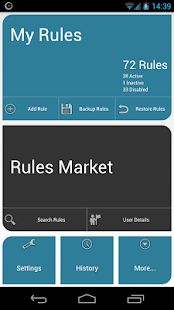
AutomateIt is designed to make your life easier by automating various tasks on your Android smartphone or tablet.
AutomateIt Pro APK v4.0.95 Paid Version
Size: 9 Mb | Android: 2.2 and up
Tuesday, June 10, 2014
Moto X features to include Clear Pixel camera
The latest Moto X feature rumours seem to suggest the upcoming Motorola flagship will have a Clear Pixel camera and stock Android.

Featuring a Clear Pixel rear camera and a near to stock Android OS user interface, although the Moto X isn’t said to be a powerhouse device in terms of specs, Motorola is seemingly focused on innovative features for its next flagship.
The new information comes courtesy of Android and Me employee Taylor Wimberley on his Google Plus account, someone who has already made a name for himself as a fairly reliable Moto X source.
“Moto X will feature a Clear Pixel Camera with gesture controls”, wrote Wimberly.
He doesn’t actually provide any further details as to what the Clear Pixel camera is, but we assume it is a marketing term conjured up to rival the HTC UltraPixel technology featured in the HTC One.
“It means ‘dark, blurry pics and lack of details’ will be things of the past…” he later added in the comments.
According to another commenter, Clear Pixel sensor technology will allow the Moto X to perform “two to four times” better in low light conditions, without a battery-draining high powered flash.
The Moto X will also feature a very close to stock version of Android Jelly Bean, potentially the heavily rumoured Android 4.3 OS.
“Moto X will feature a ‘pure Android’ user experience with a commitment to ‘fast upgrade cycles’,” added Wimberly.
Although it won’t be exactly the same as the vanilla Android featured in the Google Nexus 4, Nexus 7 or Nexus 10, the Moto X will supposedly only have a thinly veiled custom UI over the top.
New pictures of the front and back panels of the Moto X have emerged online, showing the upcoming flagship’s thin profile and ultra-slim bezel.
Read more »
Featuring a Clear Pixel rear camera and a near to stock Android OS user interface, although the Moto X isn’t said to be a powerhouse device in terms of specs, Motorola is seemingly focused on innovative features for its next flagship.
The new information comes courtesy of Android and Me employee Taylor Wimberley on his Google Plus account, someone who has already made a name for himself as a fairly reliable Moto X source.
“Moto X will feature a Clear Pixel Camera with gesture controls”, wrote Wimberly.
He doesn’t actually provide any further details as to what the Clear Pixel camera is, but we assume it is a marketing term conjured up to rival the HTC UltraPixel technology featured in the HTC One.
“It means ‘dark, blurry pics and lack of details’ will be things of the past…” he later added in the comments.
According to another commenter, Clear Pixel sensor technology will allow the Moto X to perform “two to four times” better in low light conditions, without a battery-draining high powered flash.
The Moto X will also feature a very close to stock version of Android Jelly Bean, potentially the heavily rumoured Android 4.3 OS.
“Moto X will feature a ‘pure Android’ user experience with a commitment to ‘fast upgrade cycles’,” added Wimberly.
Although it won’t be exactly the same as the vanilla Android featured in the Google Nexus 4, Nexus 7 or Nexus 10, the Moto X will supposedly only have a thinly veiled custom UI over the top.
New pictures of the front and back panels of the Moto X have emerged online, showing the upcoming flagship’s thin profile and ultra-slim bezel.
Monday, June 9, 2014
Galaxian Custom ROM for Lava Iris 405 Full Samsung ROM
Do you like a Samsung device just for TouchWiz UI and features and are dying for buying it? Then go and buy the device. Heres the solution for Lava Iris 405 users who want a Samsung device just for UI and for nothing else. You can try this superb ROM made by my brother from another mother Vipul Verma. Hes a great developer, he has also ported REAL CyanogenMod 9 to Lava Iris 405 but fixing some bugs in it, other than it, he ported MiUi, LeWa OS, Xperia Z1 and other ROMs to Lava Iris 405 already. He also ported CWM and TWRP Recovery to the device.
He worked more than 1 month for his ROM, and he was having his exams too which delayed the release of ROM, anyway, but the ROM is released today so you can be happy.
He is a great developer, and I think he deserves a lot of thanks because of his work. The custom ROM is having real Samsungs SystemUI (statusbar) and other Samsungs file which makes it look like a real Samsung ROM.
Lets see features, screenshots, requirements, downloads and installing guide of this superb ROM.
Features
Screenshots of Galaxian ROM for Lava Iris 405
Requirements for installing Galaxian ROM in Lava Iris 405
He worked more than 1 month for his ROM, and he was having his exams too which delayed the release of ROM, anyway, but the ROM is released today so you can be happy.
He is a great developer, and I think he deserves a lot of thanks because of his work. The custom ROM is having real Samsungs SystemUI (statusbar) and other Samsungs file which makes it look like a real Samsung ROM.
Lets see features, screenshots, requirements, downloads and installing guide of this superb ROM.
 |
| Credits: KillerMobi |
Features
- Based on 3-4 ROMs. Cherry Picked features for users.
- Air Gesture Working (Gallery Only, as TouchWiz giving FC.).
- Smart Scroll (In Browser, Just tilt your phone and see magic of scrolling.).
- Default Video Player with Pop-Video Feature From Samsung.
- SystemUI of Samsung Completely with Delete all Recent Apps Button.
- New Dialer of Samsung (Both Sim Keys).
- Most of Samsung Apps - SVoice, SMemo, SCalender, TouchWiz Calculator, etc.
- Settings of S4.
- Completely Stable without FC.
- S4 Launcher
- Volume+ & OG YouTube Integrated.
- A very tiny app for Rebooting Functions.
- SystemUI - Notification Panel with some extra, Toggles for Smart Scroll, Multi-Window (Sidebar only), AirGesture, etc.
- Xtreme Script & Pre-Cache Swap Enabled (My Favorite Tweaks).
- New Style (Almost a Mix-breed of Samsung & MTK) File Manager.
- Some New Ringtones from Note3 ROM.
- Flare Light Lockscreen Inbuilt with Widget Supports.
- Stausbar Transparent only in Launcher & LockScreen. No where else. Just like S4 & Note3.
- Samsung Style Gallery & Camera App & Icons.
Screenshots of Galaxian ROM for Lava Iris 405
 |
| Credits goes to me for capturing these screenies! |
 |
| Credits goes to me for capturing these screenies! |
Requirements for installing Galaxian ROM in Lava Iris 405
1 GB RAMRooted Lava Iris 405 with ClockWorkMod or TWRP Recovery installed in it.- Internet connection- for downloading the ROM.
Prerequisites
- Dont do anything else which is not stated in this article.
- Dont proceed before making a Nandroid backup.
- Dont try the ROM on any other device except Lava Iris 405.
- Dont mix the content of ROM with the contents of others.
Downloads
- Galaxian ROM for Lava Iris 405- Click HERE.
- Nothing else.
How to install Galaxian Custom ROM in Lava Iris 405
- Download the ROM from your PC or mobile.
- If youre downloading from PC then move it to your SD Card, and if youve downloaded it from mobile, then move it to the root of your SD Card "/" for ease.
- Shut down the device completely.
- Press and hold Volume Down (-) + Power Button simultaneously for some time until you see ClockWorkMod Recovery.
- Go to backup and restore and select Backup, wait for some seconds till it completes.
- Go to mounts and storage and format the system (format /system)
- Select Wipe dataFactory reset from the main menu to wipe the whole data partition.
- Go to advance and clear dalvik cache.
- Now select Install zip from sdcard from the main menu and follow to the ROM [Galaxian Iris ROM for Lava Iris 405.zip]
- Click Yes from the another menu.
- Reboot!
This reboot will take much more time than the normal reboot takes because the system is building some necessary files which are required to boot. Dont get panic and make a Maggi!
Subscribe to:
Posts (Atom)